
vanilla wavefolding implementations
TBH, wavefolding interests me more for the math and programming than the sound. My first approach was to make a reflector and to put several in series:
reflector wavefolder.pd
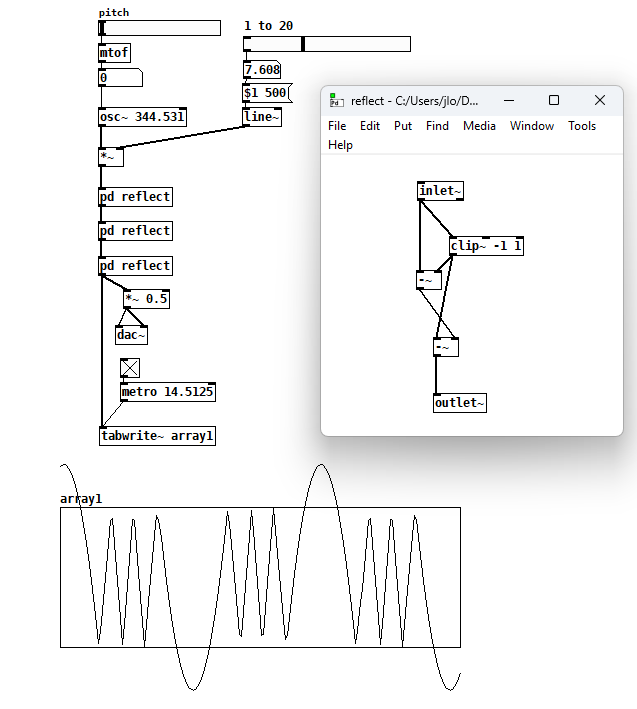
I’ve seen this kind of approach from others (e.g. using [expr~]) but it’s unsatisfying because you have to add more reflectors when you want more folds, so I came up with this next version after what felt like an eternity of head-scratching:
wrapping reflector wavefolder.pd
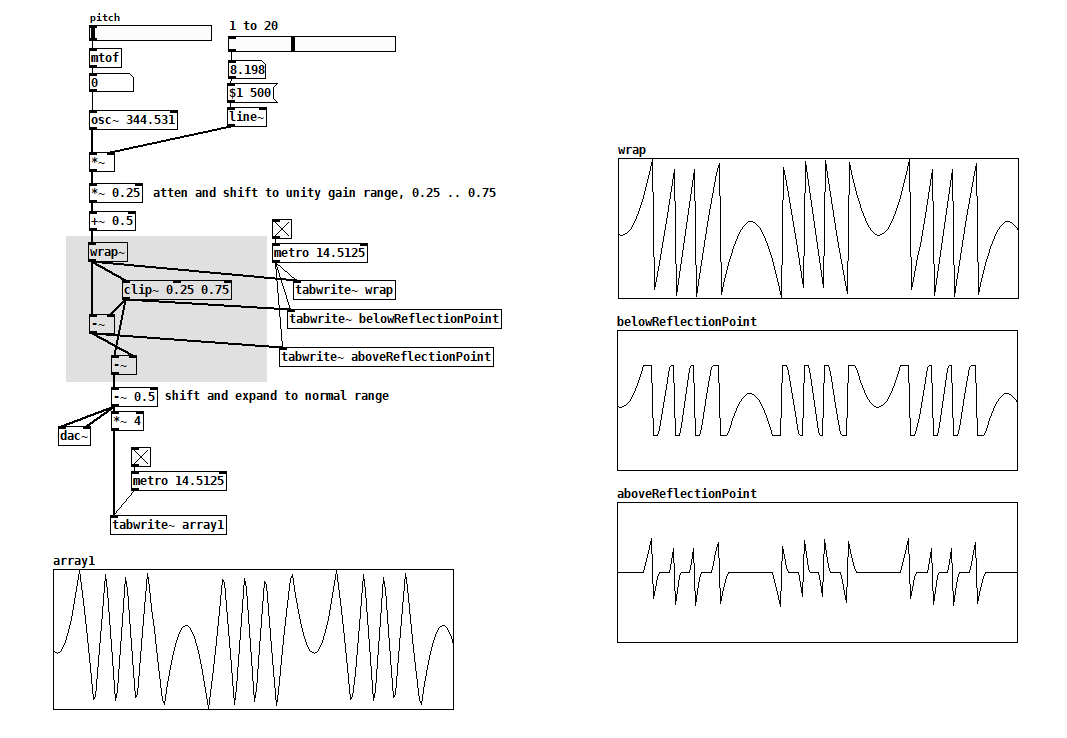
Another solution is to exploit how sine wraps around:
trig wrap wavefolder.pd
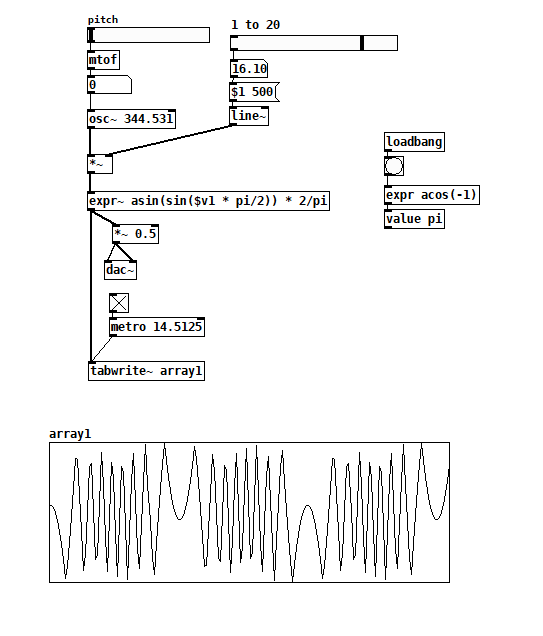
With all three versions, the sharp reversals make things very bright and can cause aliasing, which you may not be into, so I wanted to look for an alternative. Returning to how sines and cosines wrap around, I just arranged to overdrive [cos~] with my input signal:
cosine overdrive wavefolder.pd
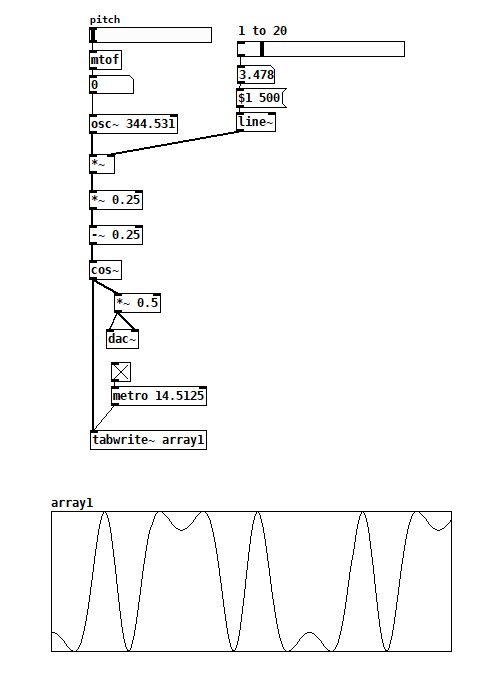
This is the version I’ve used on the few occasions I’ve thought wavefolding might sound good. The only unsatisfying thing is that it’s never possible to pass the input signal undistorted, even with folding completely off. So I thought maybe I could make a function that’s like [cos~] but linear near the x-axis. The idea comes from hi-fi tube amp design, where the designers try to scale and bias the input signal so that the tube has as linear a current response as possible. Here’s one way:
transferFunction table wavefolding.pd
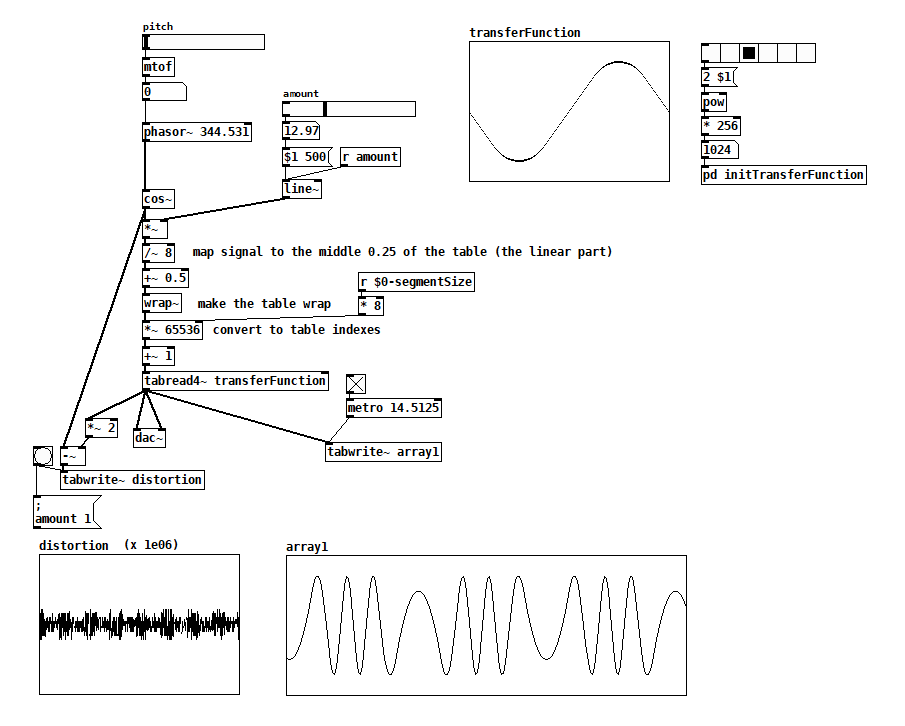
Note that you can change the non-linear part of the transferFunction table to anything you want. I made both sine and circular reversals; they sound slightly different to me. If you filled the table with a triangle wave then you’d get similar sharp reversals as in the first 2 implementations. I think that even with sine and circular reversals there are more upper partials than with the [cos~] version, so maybe another solution is just to crossfade between the [cos~] version and the clean input when you want undistorted signal.
Know of other ways? Other things to consider? Have a recording that will make me love the sound of wavefolding? Please share!
 posted in technical issues
Pure Data external GEM on Raspberry Pi
@ddw_music Thank you so much. That helped immensely and was much easier than I thought once I knew where GEM installed.
It was as simple as:
$ sudo apt install gem
// Then just to see what came up:
$ apt show gem
// Then to see that gem installed where you said it would:
$ dpkg -L gem
// and /usr/lib/pd/extra showed. I hope it does not cause any problems there.
Sorry about the hacked together reply with odd formatting. I do not know how to add the blackbackground formatting yet. I imagine there is a sticky somewhere about that.
From there I opened Pd, went to Preferences > Edit Preferences > Path > New > went to the root and selected /lib/pd/extra/Gem.
Then went to the Startup tab > New > typed in Gem + Enter > OK.
Then I closed and opened Pd and it showed GEM loaded. I opened a basic example from the Browser and it ran. I see now what you meant by [declare -lib Gem]. I am very new to Pd and have also been learning SuperCollider. A lot of the things get forgotten until I get into the relative platform environment. In that example, [declare -lib Gem] was there. It looks just like it does on the Mac.
 posted in technical issues
Pure Data external GEM on Raspberry Pi
@playinmyblues said:
In my op, I provide what I used to install it but I think that was just for Ruby.
Actually not:
$ apt show gem
... skipped some stuff...
Description: Graphics Environment for Multimedia - Pure Data library
So it's definitely gem for pd.
I could not find the library anywhere on my Raspberry Pi...
I always forget this and I always have to do a google search for "linux apt list installed files," but:
$ dpkg -L gem
... long list of files, including a lot of them like this:
/usr/lib/pd/extra/Gem/GEMglBegin-help.pd
/usr/lib/pd/extra/Gem/GLdefine-help.pd
/usr/lib/pd/extra/Gem/Gem-meta.pd
/usr/lib/pd/extra/Gem/Gem.pd_linux
... where I pasted these specifically because the last one, Gem.pd_linux, is the actual library that gets loaded when you [declare -lib Gem].
Then you can infer that /usr/lib/pd/extra/Gem is the location to which the package is installed. (The point being that even in a command-line environment, there are ways to find out what was installed where. You might have to do some searching to find the commands. BTW I'm not using rpi now but its OS is based on debian, so these commands "should" be OK.)
As I see it, there are just a few possibilities:
- (1) Maybe
sudo apt install gemdidn't install it properly. That seems unlikely (but, worth it toapt show gemto check the package metadata). - (2) Or, maybe
sudo apt install gemdid install it properly. That divides into a couple of sub-cases:- (2a) Maybe Pd can't find the package. If that's the case, then what I would do is: go to the pd path preferences and make sure
/usr/lib/pd/extrais in the list. Then [declare -lib Gem] should find it. - (2b) Or maybe the package is incompatible with RPi. In that case, everything would look right environmentally but the package simply wouldn't load.
- (2a) Maybe Pd can't find the package. If that's the case, then what I would do is: go to the pd path preferences and make sure
For 2a, everybody -- everybody -- gets tripped up on pd external loading. For me, the best strategy has been to keep the Pd "path" preferences as simple as possible -- /home/your_user_name/Documents/Pd/externals for user-specific externals, and maybe add /usr/lib/pd/extra for systemwide packages -- and nothing else. Then the Gem/ root folder would go directly into one of these, e.g. /usr/lib/pd/extra/Gem. I rigorously avoid putting externals in any other locations.
Then, use a [declare] in the patch. [declare -lib Gem] tries path ++ "/Gem" for each of the entries in your path preferences. If you have kept things in standardized locations, this will work.
Maybe try this with a different external package first, one that is RPi compatible, to make sure that you understand the mechanics. (I've seen a lot of threads where people were haphazard about external installation and got tied up in knots. It's really worth some time to get it right, to be certain that this case can be ruled out.)
For 2b, if there is no pre-compiled package available for RPi, the only alternative is to compile it yourself, unfortunately. The ./configure script should tell you if that's supported for your machine or not.
sudo installs gem for you
Well, not exactly. sudo is "superuser do," which runs a command with elevated privileges so that, for instance, files can be installed in system executable locations that are normally write-protected. sudo itself doesn't install anything.
sudo apt install gem would install Gem. apt is the package manager -- this is the component that actually installs it.
I mean, now I see what you were trying to say, but there were enough pieces left out of your comment that the meaning was unclear.
hjh
 posted in technical issues



How to make each instance of an abstraction contain a unique subpatch puredata
@jameslo Thank you this make sense to me! I did not know you could pass arguments into the name of an object and it would actually dynamically change what object it pointed to based on name.
I implemented your method by creating a "impl-cue-X.pd" for each cue's functionality, where X is the cue number. I suppose this is the same method I was trying before, but with individual Abstractions, rather than subpatches. But it works in this case !!
This demonstrates a bit of an inconsistency in their behavior (I don't know why this is) that is good to know.
Within "cue.pd", I create an object referencing an abstraction with a dynamic name [impl-cue-$1] (which would reference "impl-cue-0.pd", "impl-cue-1.pd", etc) and a subpatch with a dynamic name [pd impl-$1]
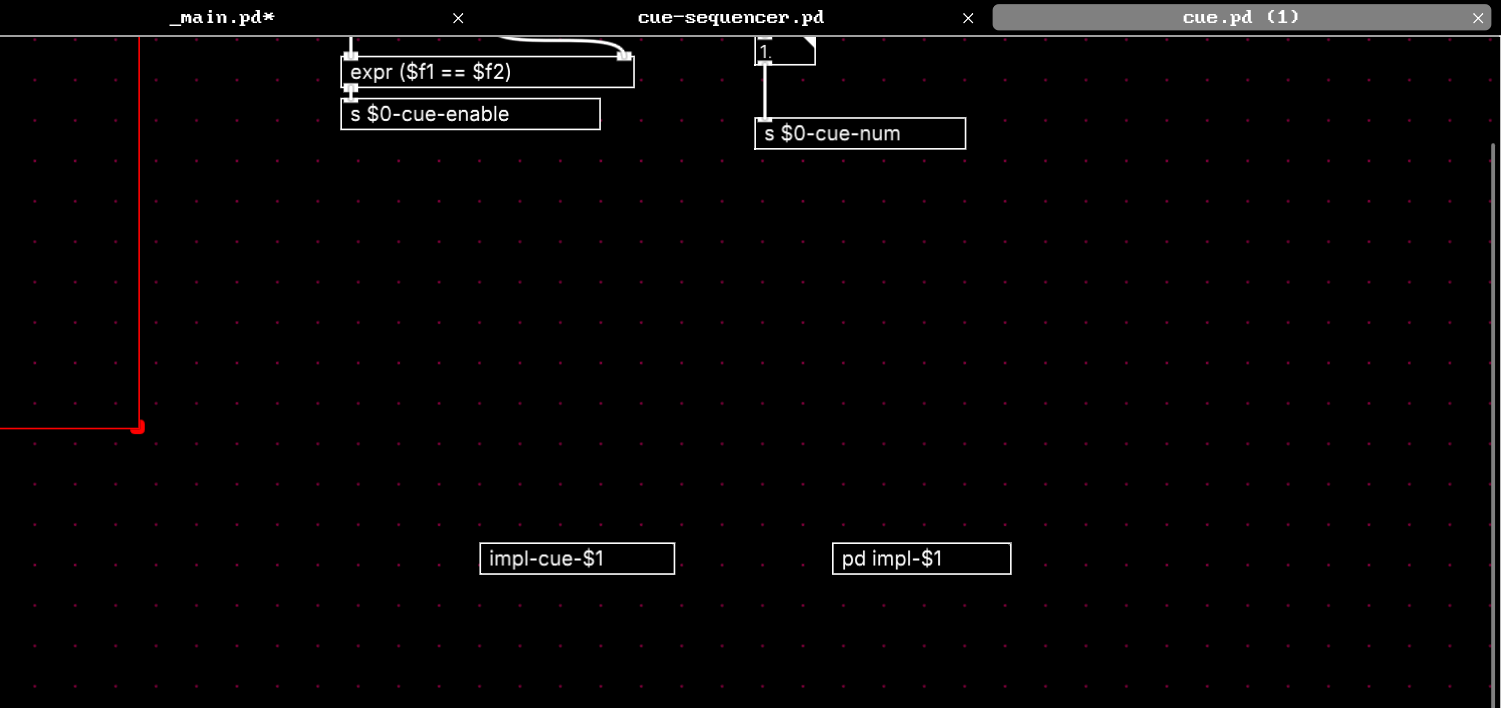
The abstraction behaves as expected. Within the cue instance with 0 passed in as $1, the [impl-cue-$1] becomes [impl-cue-0], and for instance with 1, it is [impl-cue-1]. Because they are explicitly different files with different definitions.
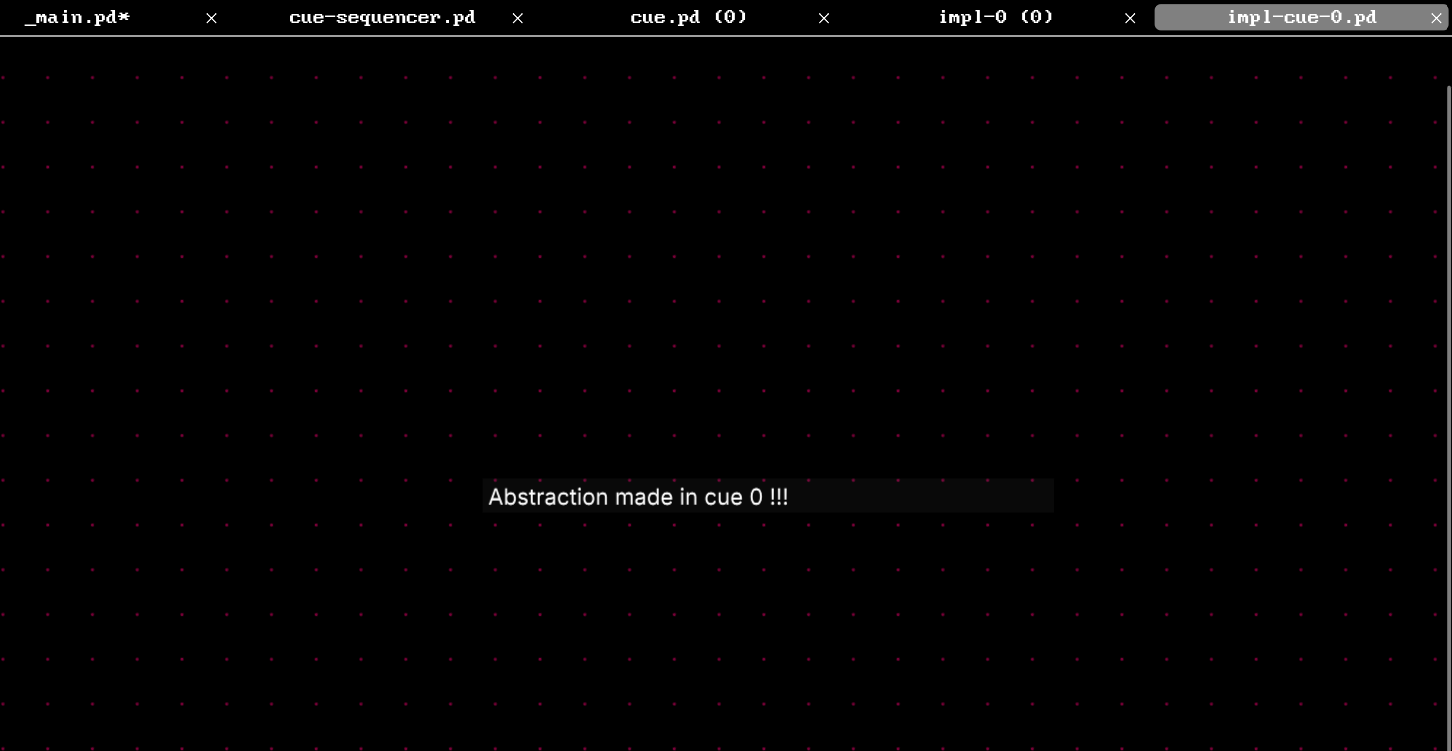
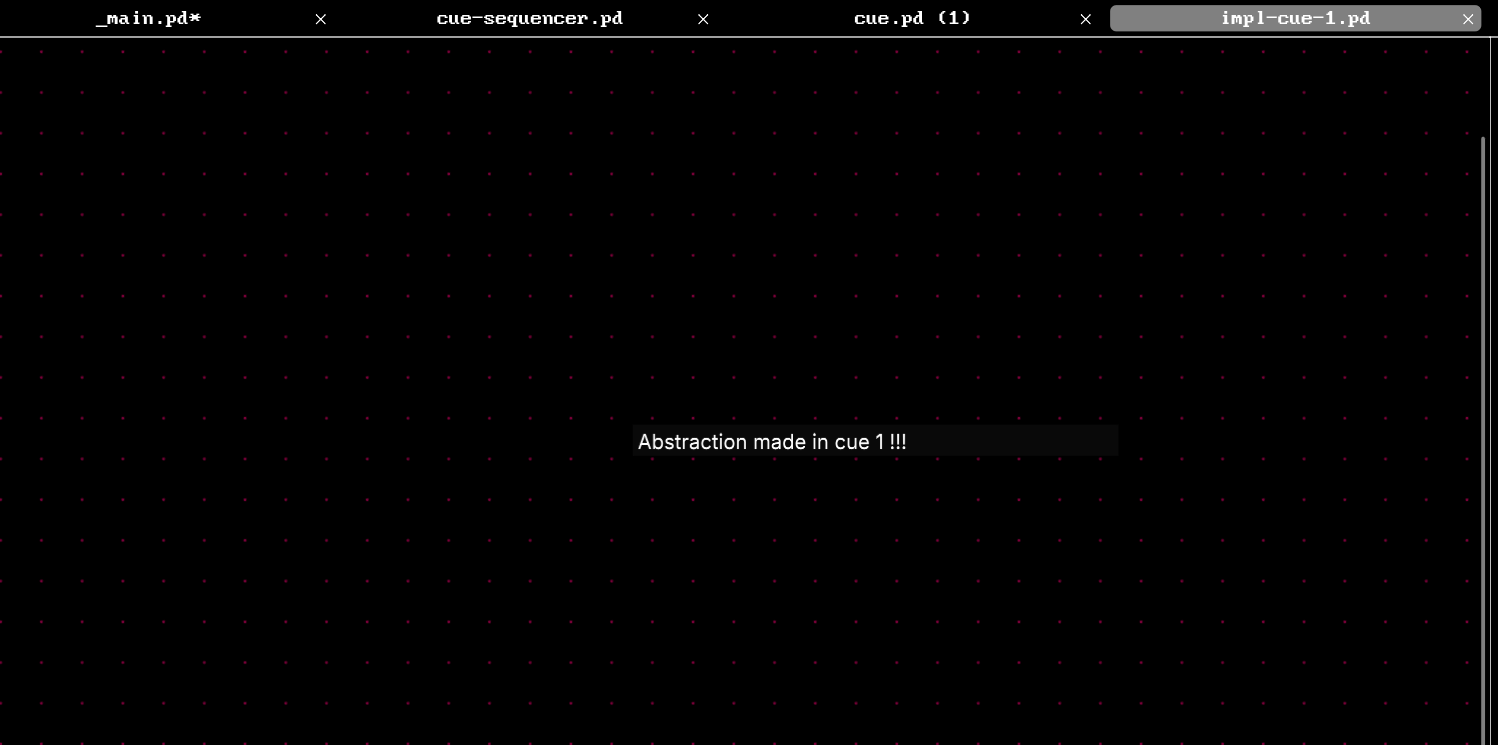
However, the subpatches do not behave this way, even though they are passed in different values of $1 depending on which instance of "cue.pd" they are inside of.
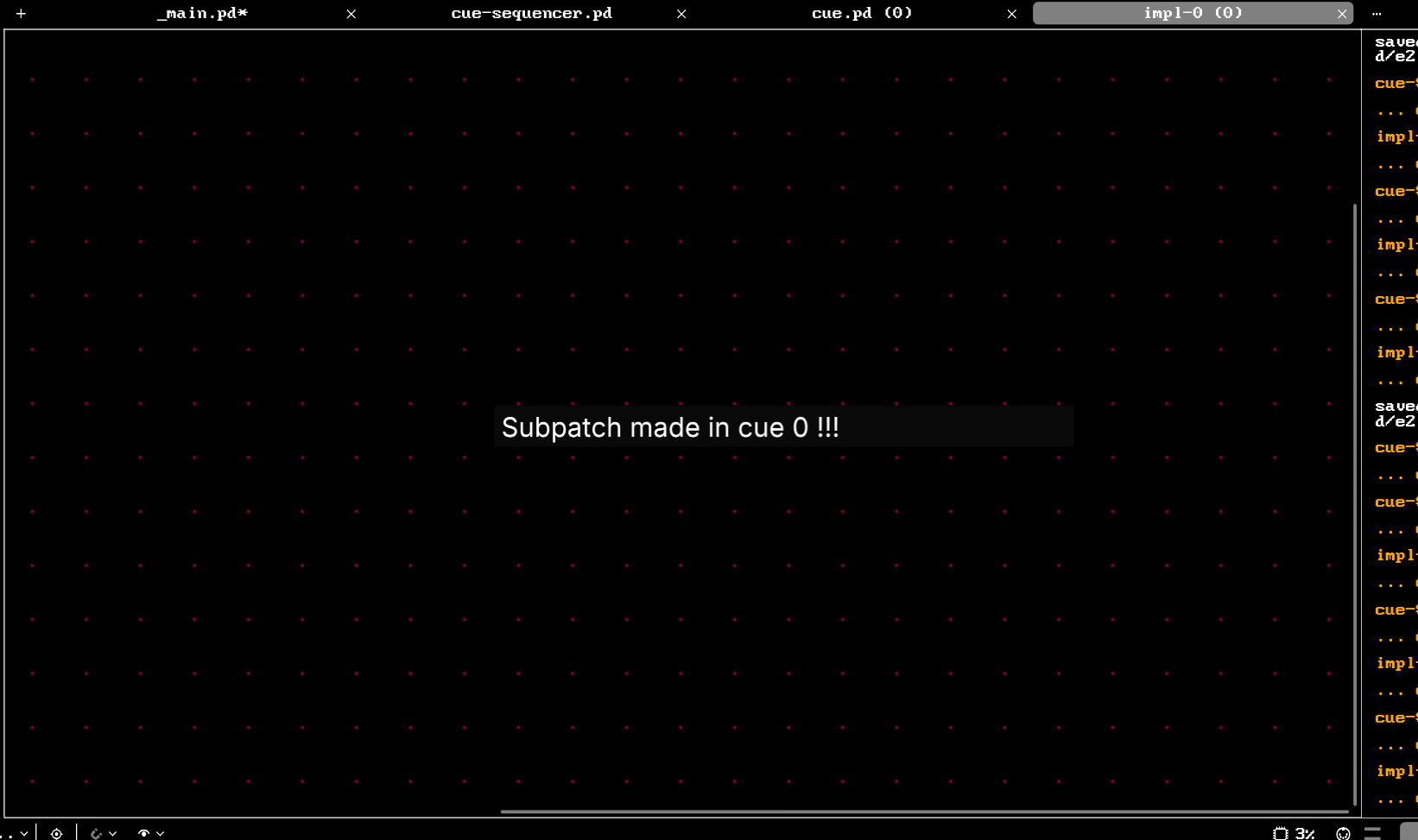
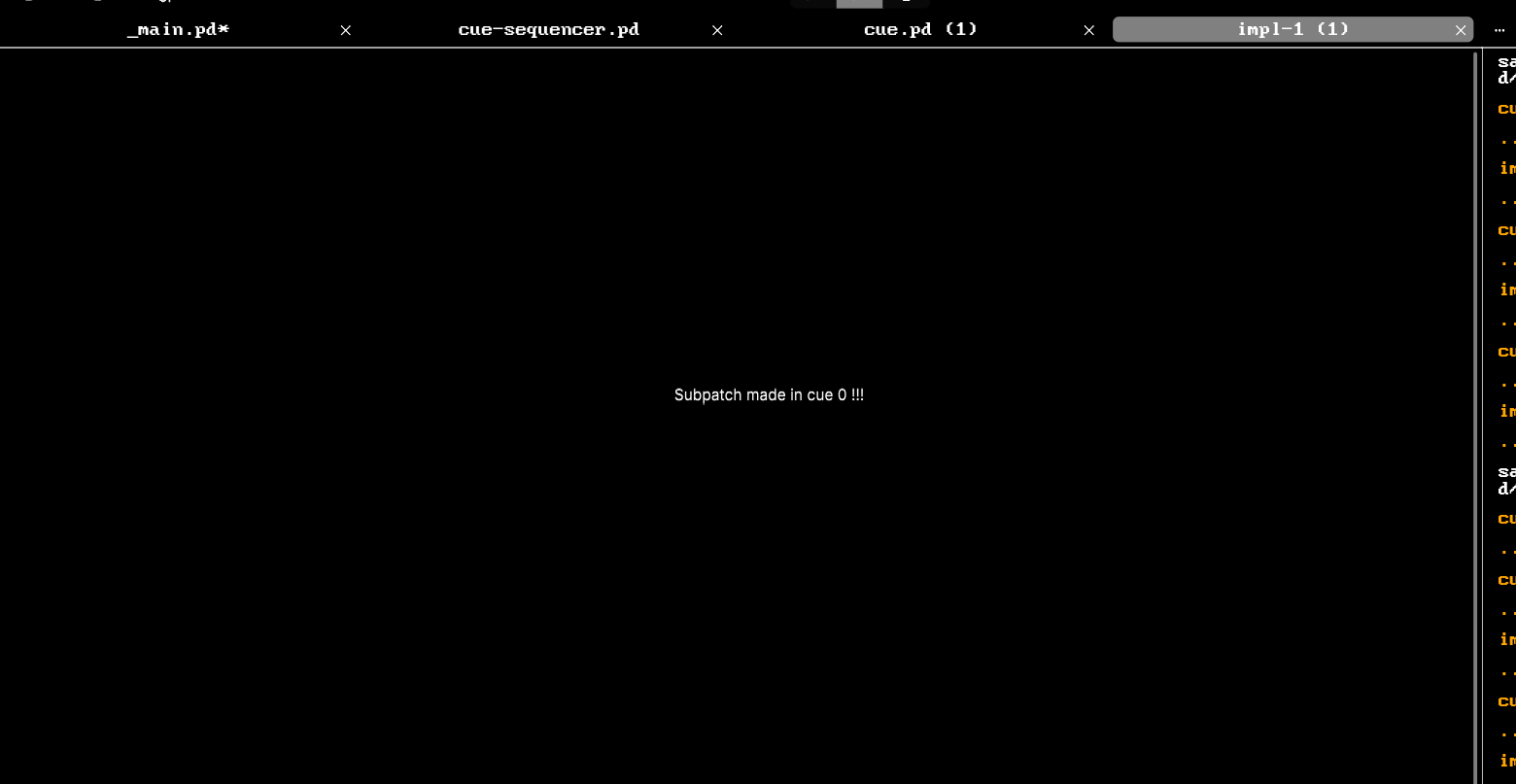
[pd impl-0] has the same contents as [pd impl-1].
I'm not sure why this is, but I imagine there are plenty of internal differences between abstractions and subpatches that I do not know the inner workings of.
This solves my issue though. Thank you!!
 posted in technical issues
Puredata, Jack and multi channel audio (only 2 channels showing, not 4)
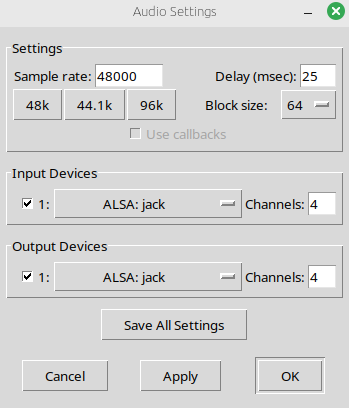
I am trying to get the four channels available from puredata into the Jack audio server. I have selected 4 channels in the audio output settings.
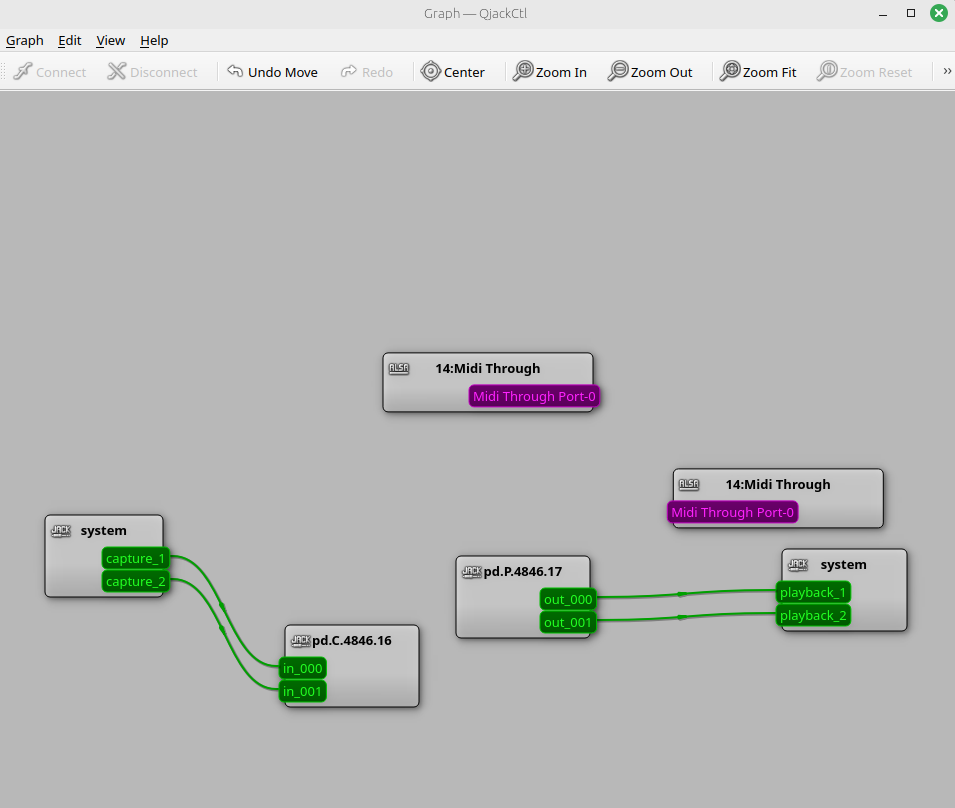
For some reason, Jack only appears with 2. Anyone know why this is the case and how I might go about getting the other two channels appear? I am trying to achieve this so I can send audio from puredata to different speakers in a bluetooth syste (two seperate bluetooth modules, with a stereo channels).
The same thing happens with pipewire- only two channels are available in the virtual audio stream. Ive also attached photos for both of these audio servers. Help would be greatly appreciated.
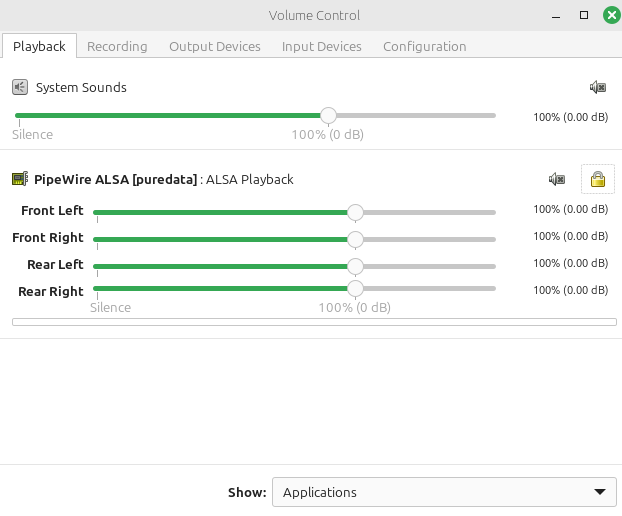
The channels DO appear in pulseaudio however, and I have included pictures of this
Thanks for your help. Below photos demonstrating some of the settings. I am running linux mint
pd media settings
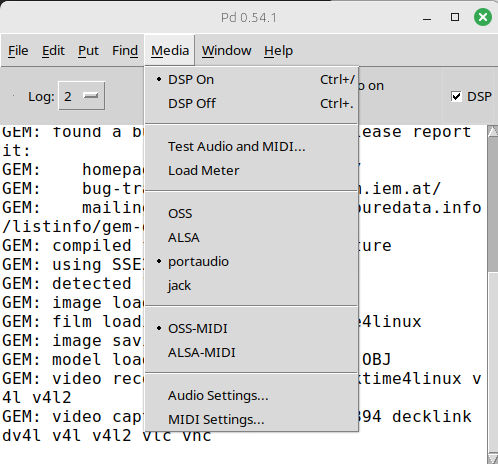
the four channels setup to go to ALSA: jack
there are only two channels appearing in Jack from puredata, not four
however, the channels do appear in pulseaudio volume control
but also does not appear in pipewire
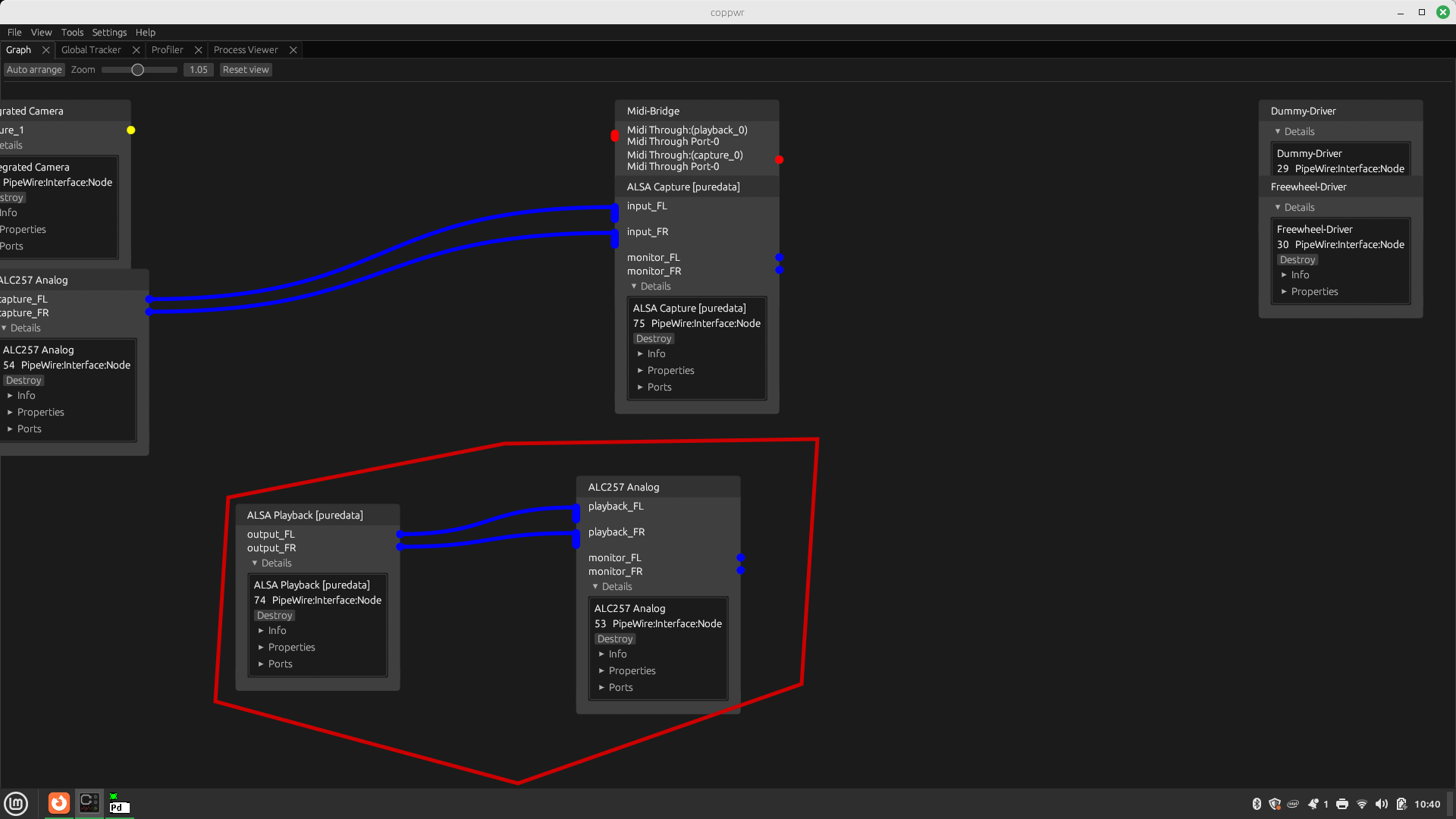
 posted in technical issues
CPU load with Purr-Data and GEM
Hi there,
I started dealing with GEM and implemented a very simple patch that simply plays back a video. When I run this patch with pd-gem the playback is all good. But with purr-data the playback stutters since the CPU load is too high. Please find attached screenshots of the patch and atop while running the patch with purr-data and pd-gem.
The pd version with purr-data and pd-gem is slightly different, but I assume that this is not the root cause. So, what is the problem with purr-data and how can I solve it?
Thank you in advance!
Andre
-- purr-data --
Purr-Data 2.19.3
Pd version 0.48.0
GEM version 0.94
-- pd-gem --
Pd version 0.52.1
GEM version 0.94
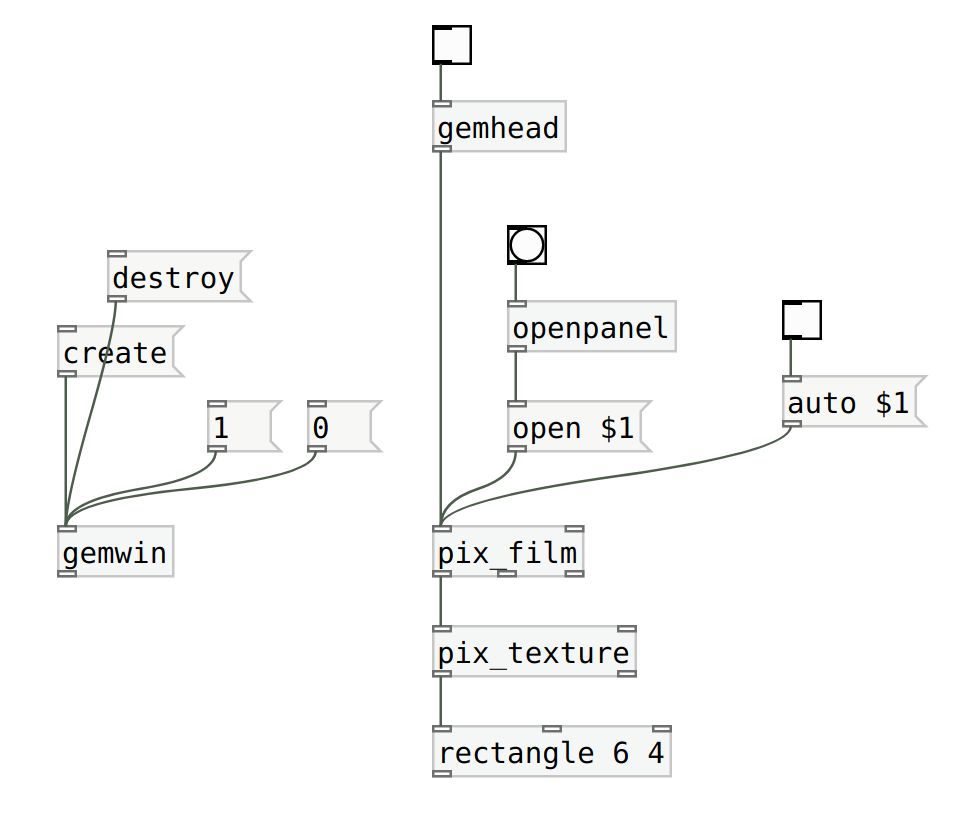
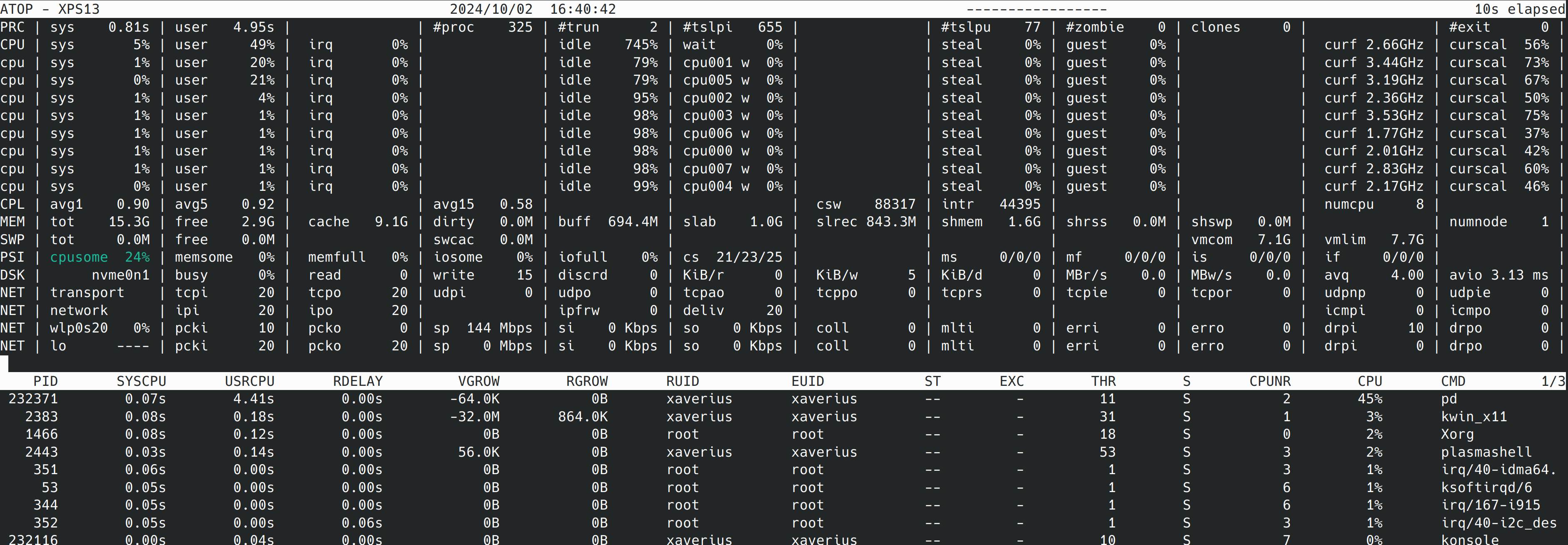
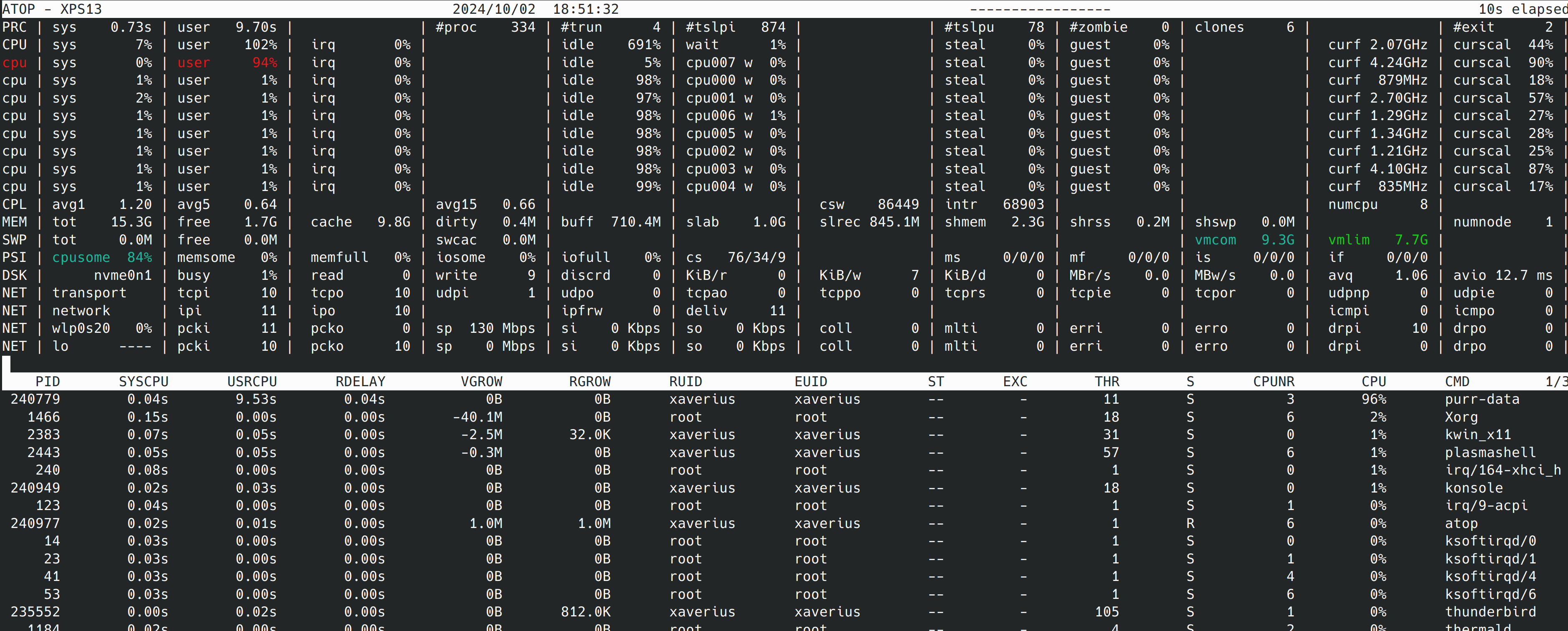
 posted in technical issues
I'm trying to build filters with [pole~] [zero~],but I'm so confused with the factorization of the two-zero transfer function:
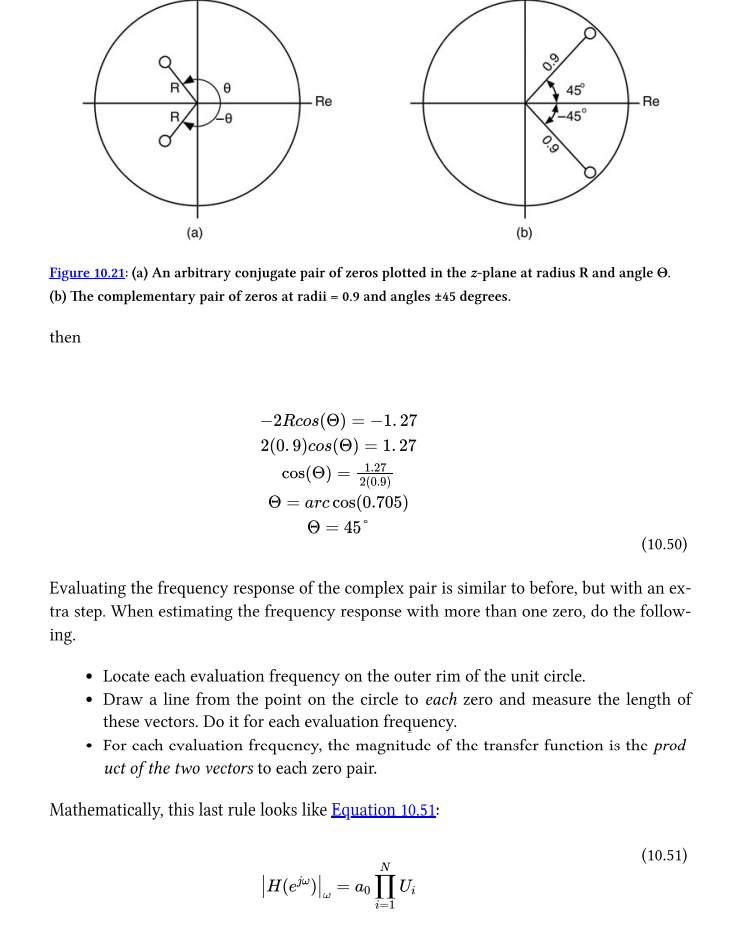
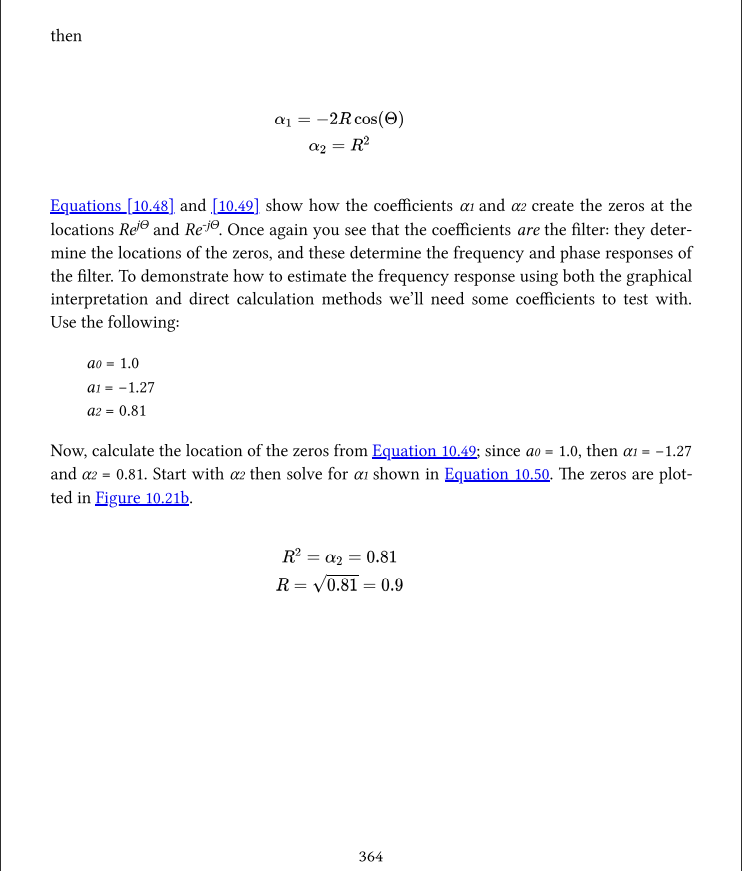
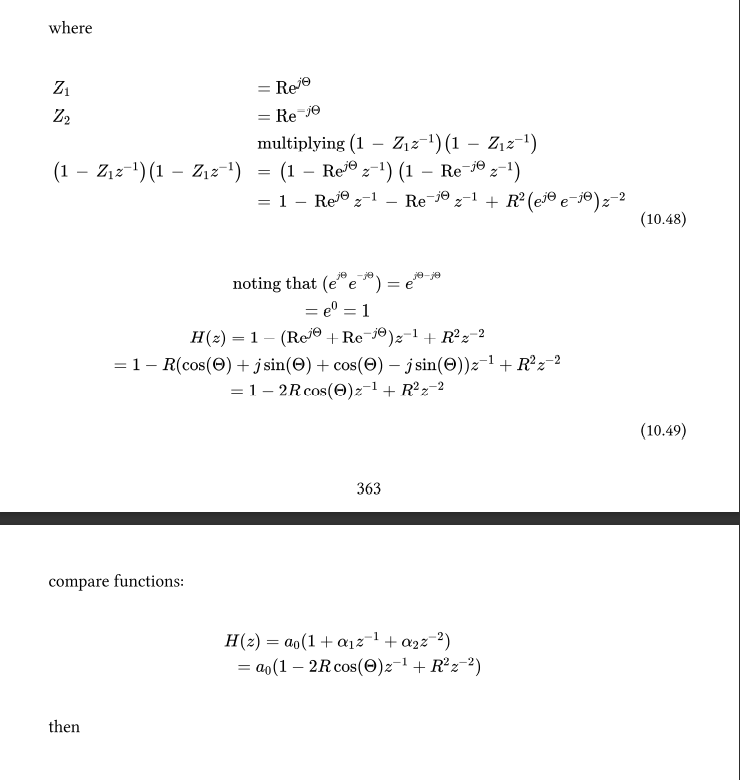
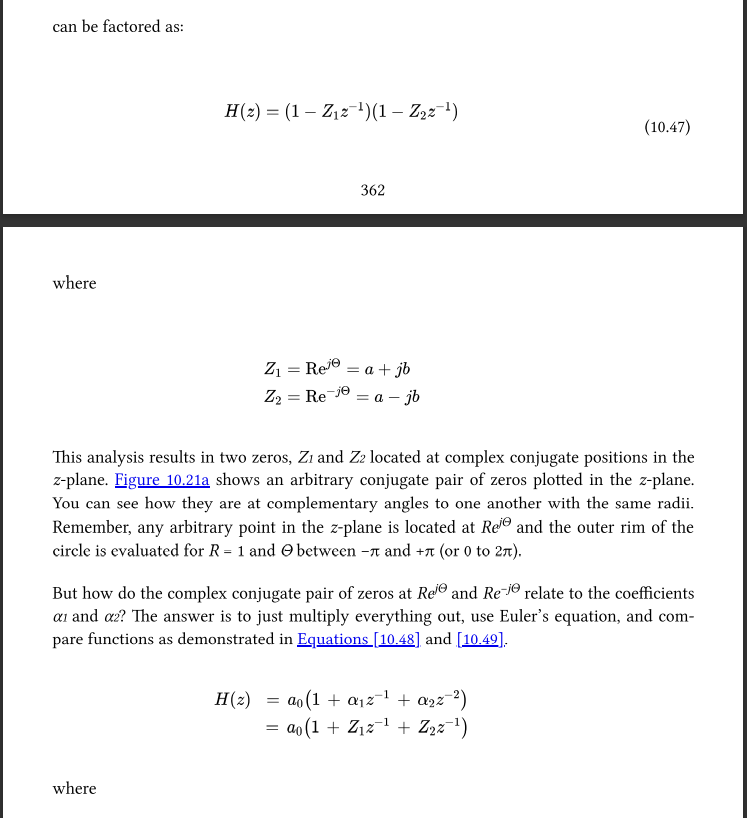
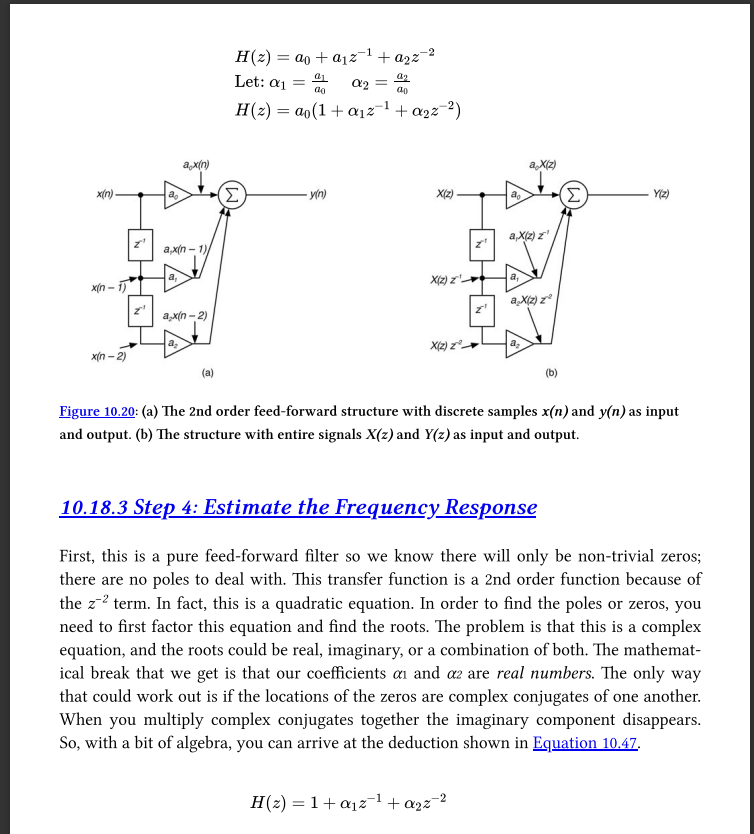
I tryed to use Cross multiplication and Conjugate roots to factor the transfer function of two-zero feed-forward filter but...I can‘t get the result like :
(1-Z1z^-1)(1-Z2z^-2) on p362.
The name of the book is Designing Audio Effect Plugins in C++
Same function can be found here but no explation about how to factor:https://ccrma.stanford.edu/~jos/filters/Two_Zero.html
 posted in technical issues
GEM: Transparent-before-opaque draws strangely
I'm sure there's an explanation for this, but I'm having trouble imagining what it is.
This patch is drawing first a green cube with low opacity (90% transparent), and then drawing a red cube with high opacity (10% transparent). I would have expected the more-opaque red color to dominate -- you would see mostly the red cube, with faint bits of green sticking out in places.
Instead, we see through the green transparent parts all the way to the black background, and the red is visible only outside those bounds.
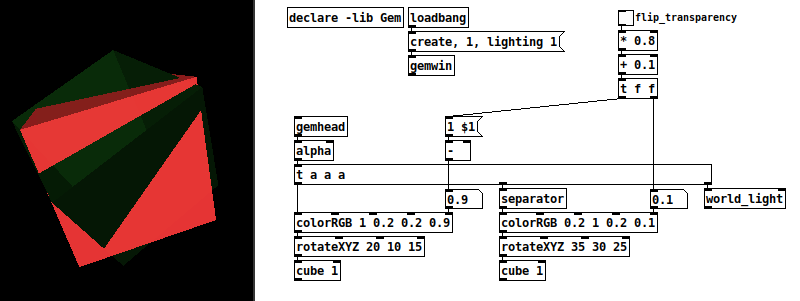
Am I right in thinking this is really weird?
Let's say in the real world you have a large green glass cube, empty in the middle, mostly transparent, and you put a small opaque red cube inside it. The red cube will block the background. But in this patch, if you do the same thing by reducing the red cube's size to, say, 0.1, then the red cube disappears!
By contrast, if you reverse the transparency (opaque green, transparent red), then you get an expected result.
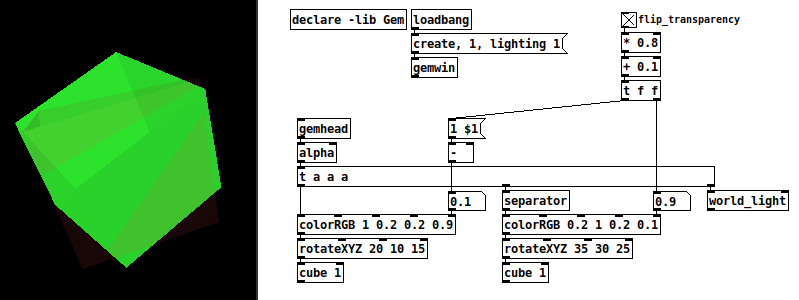
[alpha]'s help file does mention that opaque elements should be drawn before transparent ones, but that would seem to require some fancy tap dancing if the objects' alpha values will change -- in this patch, I would have to flip the positions of the two drawling chains depending on the value of the top-right toggle. I guess the easiest way would be with separate [gemhead]s and switch their rendering order?
I still think it's weird.
hjh
posted in pixel#
Colored things - and pixels
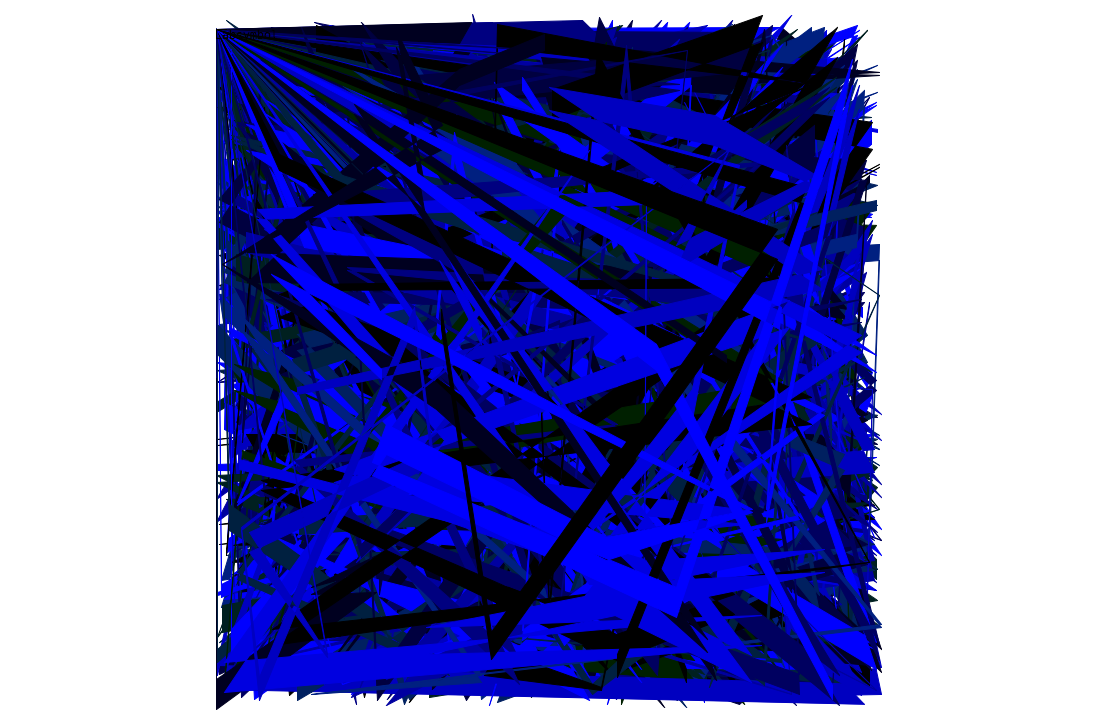
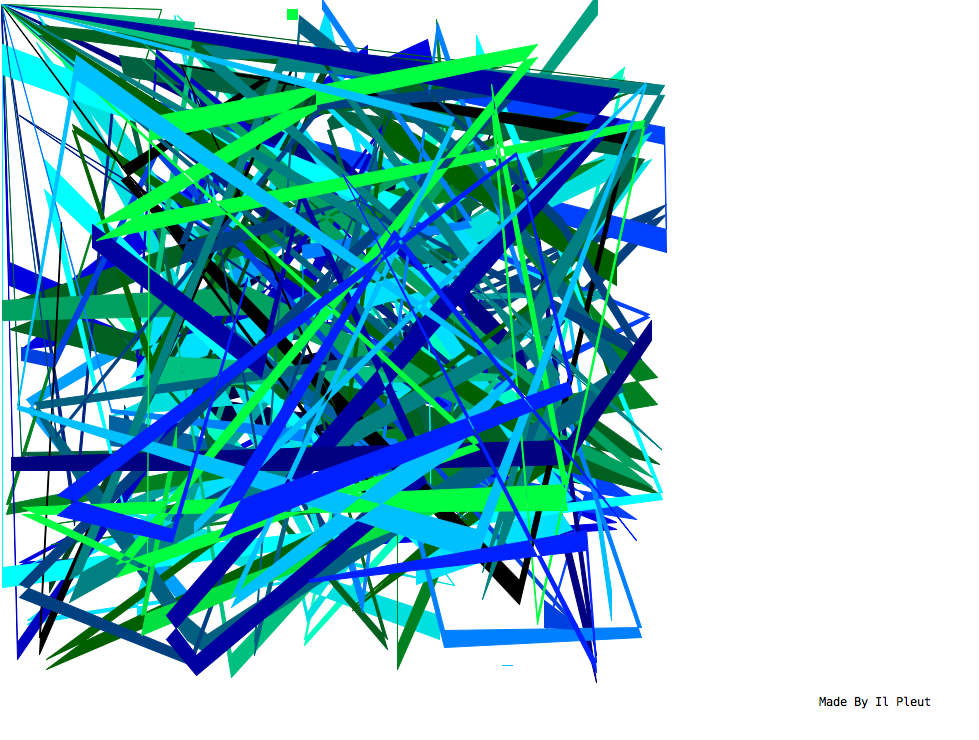
Data structures always. The first, the blue one, is the result of a stack overflow..
 posted in output~