
[neuralnet], yet another artificial neural network external
Deep dream generator from google does it.
Maybe you have seen images generated by "IA". They are everywhere know.
They are in fact not the output of a neural network, but are visualisations of the internal process of a layer of a neural network "analysing" or "sorting" an input image.
This ability to see what's going on inside of a neural network was implemented in google's tensor flow for debbuging purpose, if I remember it correctly.
To make it simple, in a neural network with an input vector shaped as a screen, with each input being a pixel, and the pixels organised in lines one above the other, a code to generate images from, let say, instant output value of each pixels of a layer, or other values coresponding to the differents internal parameters of each neuron of a same layer.
I think a .bitmap format is straitforward to generate.
 posted in extra~
[neuralnet], yet another artificial neural network external
Huge job
While your finger are still warm, what would be great would be to be able to export "images" of the neural net training, layer by layer, like in all those images blending app.
I think it is a bitmap of the output values of each neuron of a layer.
posted in extra~
Audio rate Metro or counter?
@nicnut said:
@oid However one thing that can be annoying for me is when i export Pd created audio files into a DAW and try and line them up with bar lines or a click. usually it can be time consuming as I have to adjust a lot of parts.
One under-appreciated fact is that most audio interfaces run slightly off of the true sample rate. SuperCollider can report Server.default.actualSampleRate and I find it's usually below the advertised rate, e.g. 44097.xyz rather than precisely 44100. Timing based on real time interaction will always be slightly off, in recorded files (such that I wrote a short SC script to resample by a fraction of a percent, when I need to sync a long recorded audio file with a screencast video -- after 15 minutes or so, the broken sync is already perceptible).
I'm not sure if Pd's control layer timing follows the sample clock or not. If it does, then in theory it should be consistent...? But I'm not certain.
For Pd's control layer to be sample-accurate requires a block~ size of 1, right?
hjh
 posted in technical issues
Ofelia: chroma key?
Actually -- a Processing example suggests that the shader doesn't need two image inputs. All you really need to do is draw two layers: 1, a background layer, and 2, use the shader to generate alpha on the foreground layer, and draw on top of the background.
That can be done with the work that I did on shaders before.
I had a crack at it, and I'm afraid I got only as far as not crashing. This is probably because I don't understand the math that's being done on the pixel colors, and didn't take time to figure it out. (Most of the fragment shader is copied directly from Processing example.)
You would need the shader-support branch of my fork of 60Hz's abstractions: https://github.com/jamshark70/Ofelia-Fast-Prototyping/tree/topic/shader-support -- don't use the main branch! This is all still experimental and not ready to merge.
Then the foreground layer looks like this (haven't added background yet): 0801-chromakey-test.pd
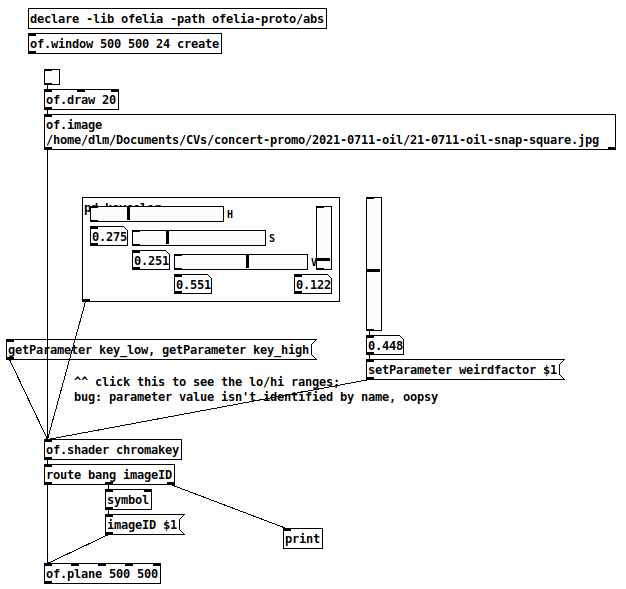
The problem at this point is that I can't find HSV settings to make the green bits actually transparent. I would have expected that setting the range slider to 1.0 would make everything transparent, but it isn't even doing that. So there must be a logic error in the fragment shader, but I'm out of time for now. Maybe you can figure it out.
At least -- having a template that doesn't crash is a good step forward.
hjh
posted in pixel#
This Loop Machine (4 tracks) nearly perfect but.....
Thanks a lot for helping me!!!!
sorry I don't understand how to use it so I change the element's name and I got this.
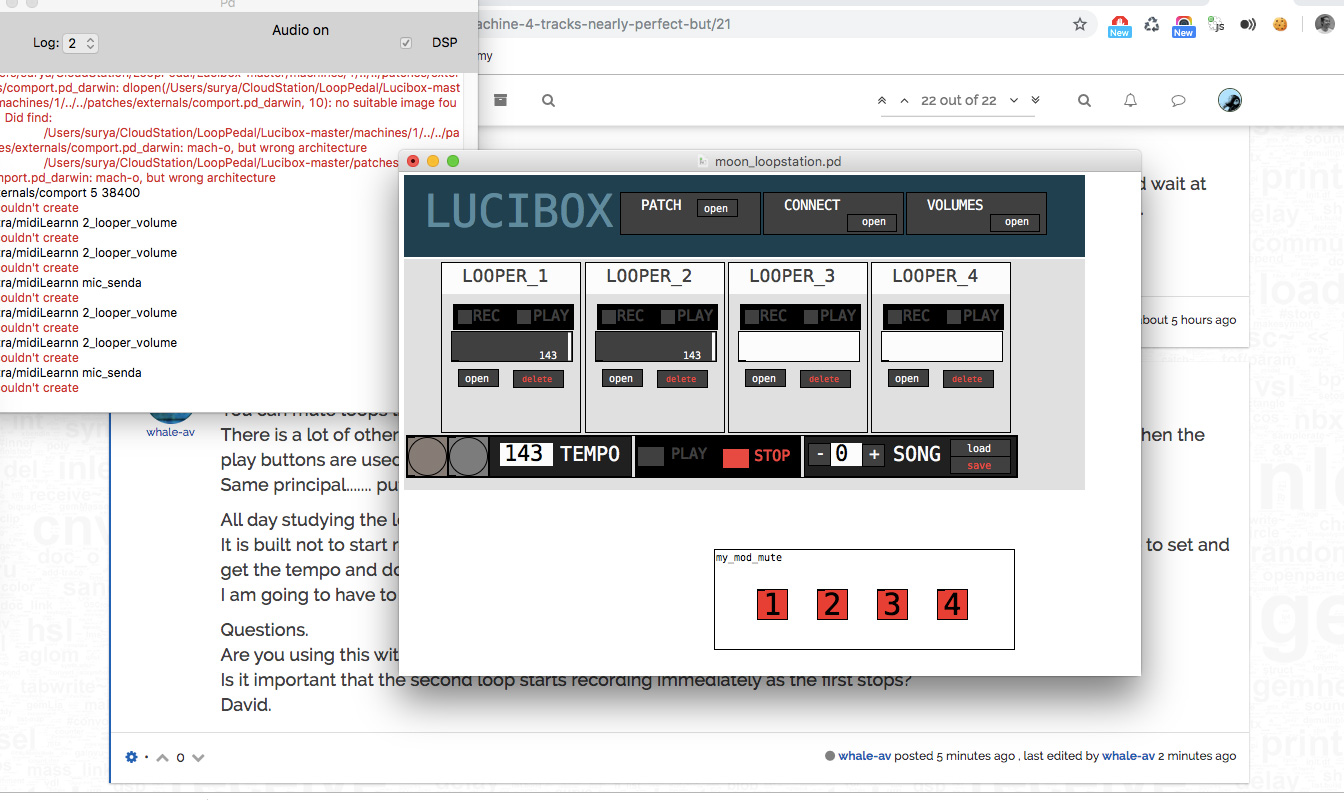
"All day studying the logic part of the patch today." ....wow, man!!!
Is it important that the second loop starts recording immediately as the first stops? Yes it is ... on live gig I need to build layers quickly. Otherwise you have to wait twice for every layer.
and yes, I will use arduino as the switches
Cheers Sur
 posted in technical issues
Hacking Fernando Quirós' monolooper to include overdub
Hello all,
Trying to do what should (and must be!) the simplest of things: Hacking Fernando Quirós' monolooper to include overdub.
The problem starts when I attempt to create a new layer in [tabwrite~]. This new layer also needs to include whatever is playing in [tabread~] i.e. the loops before it. How do I include the new audio signal without disrupting the original loop structure?
MonoLooperOverdub.pd
 posted in technical issues
Read data from pixels on the fly
Thank you David!
But I have to notice something.
Step by step.
- I've got background ([square 4] object with certain color and [translateXYZ 0 0 0] object to be sure that I'm on a right layer).
- I've got slowly generated lines of colors painting by [circle] on the same layer.
- When generating in process I lounch independent pointer presented by the [circle] orienting by data from pixels of resulting pics of step 1 and 2.
I've got no problem if I have ready image or video but when I use [metro] prior [gemhead] in video painting I cant understand where I have to connect [pix_data] - it doesnt work.
 posted in technical issues
Patch runs fine but latency increases over time and use
I like to think i am pretty savvy when it comes to PD, but alas, I still have much to learn it would seem, as I cannot for the life of me solve an issue with a patch of mine that has been driving me mad for quitge some time now. When I open the patch, all midi runs fine. Everything is low latency and very usable... but the more I play around in the patch and play keys and alter settings, things get slower and slower... until finally after a while there is too much latency in the midi system to even use my patch properly. The problem is solved when I shut down PD and restart the patch, but then rears it's ugly head once againm after some time. The patch is prety complex andf has a lot fo stuff going on, but it is a midi only program. The audio engine is off, so that is not likely the cause. Im thinking it has something to do with the console stacking up, or various objects which store data stacking up and bogging down. I would like to build in some way to clear things up soo the latency never piles on too much, but I cannot figure out which object is causing it or why! Does anyone know of any onjects that are known to cause this problem so as to point me in the right direction? I can post the patch if anyone cares to see it, but I warn you that it is pretty huge and would have layers and layers of patching to dig through. Maybe there is some way to globally clear all the midi data buffers or something? any help would be immensly appreciated, as the patch otherwise works well and It's something I use in almost every session!
Many thanks.
Cheers!
 posted in technical issues
Trying to build a basic neural net with ann
For the demo, I used 3 layers with 300 neurons in the hidden layer. More layers could be a solution, but ann_mlp locks up pd immediately if I try to create 5 or more layers. (and there is a warning in the help patches to not set the layers parameter too high when creating a network)
I had seen those other input/output tips, which were definitely helpful. But reading them again now, I hadn't considered the idea of deliberately scaling some of the vectors between -2/2, -3/3, etc. in order to give more weight to certain inputs. I might give that a try! Thanks.
 posted in technical issues
Arrays & adsr env (struct/canvases)
Here is another kind of array object (no structs this time) with free point plotting and curve transitions. There are two layers in the GOP box: the layer with the canvas points and one below with an array-table and a resized slider in front to block mouse interaction.
 posted in patch~