-
impression
posted in technical issues • read moreHey David,
Thanks a lot. Funny enough, I actually switched to SuperCollider recently, and I'm having those issues actually mainly in SuperCollider.
But for some reason I can't get access to the SuperCollider forum, I've been waiting for the administrator’s approval for days.

But I'm glad to hear that it seem a general problem with the UDP messages, I will try if changing the buffer can fix it.
Thanks again!
-
posted in technical issues • read more
Hi,
I have a Raspberry Pi connected to a lot of buttons, encoders, and a display.
Initially, I planned to communicate using OSC messages, but I’m running into a bottleneck very quickly.For example, I have 16 buttons for a step sequencer, and I need to send an OSC message for each step to briefly turn a button’s light on, and then another message a few milliseconds later to turn it off again, so I can show the current step position. Basically a running light through the steps. That alone seems to overload OSC, depending on the tempo of my sequencer.
I could probably optimise this better, but I’m a bit shocked at how quickly I can overload OSC messages. There’s much more I still need to send, for example my encoders would also send many messages within milliseconds, and there are multiple encoders running at once.
I just read about using stdin and stdout for communication. I don't have any experience with it though. Would that work better in my case, or is it still better to stick with OSC and try to optimise it as much as possible?
Or are there any other/better ideas? -
posted in technical issues • read more
I think its all good. Maybe something got messed up in my OS.
Out of the sudden, I couldn`t boot anymore, so I had to reinstall everything from scratch. Now it seems to be working. I am so happy
Also I am now on 0.55 as well.Thank you very much for your help though

-
posted in technical issues • read more
Hmm, that's interesting. Can I ask which pure data version and raspberry PI OS you are using?
Yea, by "no inputs" i meant keyboard and mouse. I cant create any nodes or change values, basically i cant do anything as long as there is a window underneath the actual pure data window.I am also SSH into the pi, but I also tried connecting directly. The issue is the same.
-
posted in technical issues • read more
Hi,
I’m having an issue that makes me want to bang my head against the wall.
Basically, whenever there is a PD window above another one, the top window ignores all inputs, as if the one below is blocking everything.
Working around this is a big pain because I already have a small screen resolution and constantly have to move windows around just to be able to edit the top one.Is there any solution for this ?
I’m using Pure Data 0.53.1. For every other version, I would need to compile.I also thought maybe purr data could work better but I couldn`t even get a version I could install
-
posted in technical issues • read more
Yea I saw the video, but still couldn`t get it working somehow.
Thank you so much both of you. I think its all working now -
posted in technical issues • read more
Hi.
I’m a complete beginner with Pure Data.
I tried making a very simple FM synth, but I can’t get the feedback to work.
Basically, when I try to route the output of an oscillator back into its input. How would I do something like that?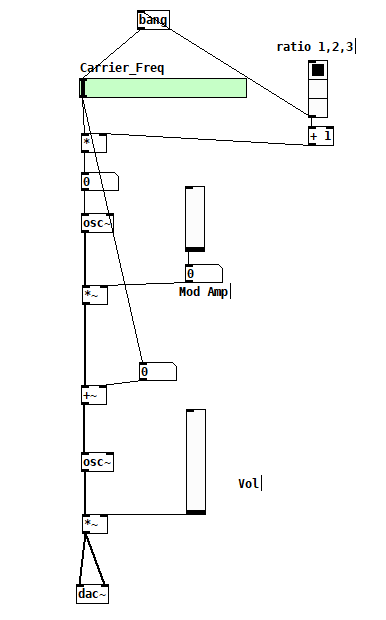
-
posted in technical issues • read more
@Balwyn: perfect, seems all working now. Thank you so much again

-
posted in technical issues • read more
@Balwyn. Thank you so much, I think its pretty close to what I was looking for, but I thought I can skip the inlet part and send straight from my testPage into the testsynth.pd
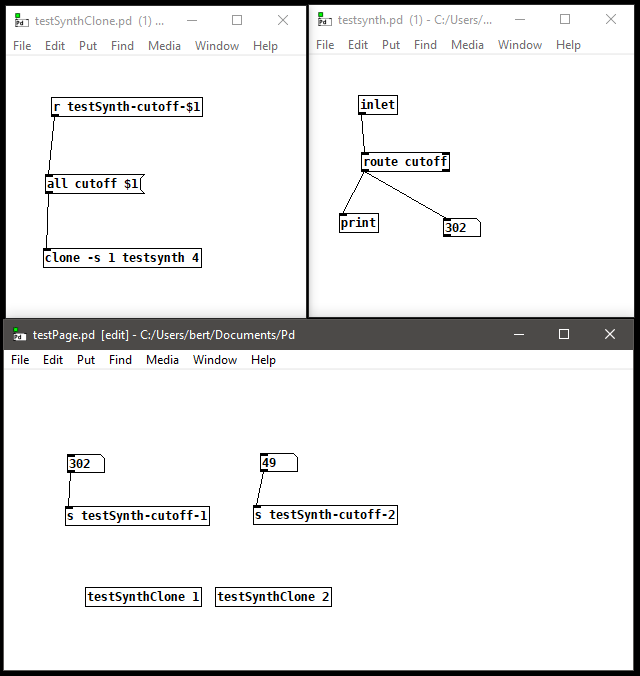
Maybe @whale-av you have explained that in your pd? but I can`t follow unfortunately.That's how far I got basically:
It sends cutoff data to either the testSynthClone 1 or testSynthClone 2. But I am not sure if that interfers with my actual "notes" and "velocity" data for clone later on. If I could I would love to skip the inlet part and send straight into the testsynth, or is that not possible?
testSynth.zip -
posted in technical issues • read more
Hey Balwyn.
Thank you so much for your help, but I’m not sure if that’s what I’m trying to do, or maybe I just don’t fully understand it yet?
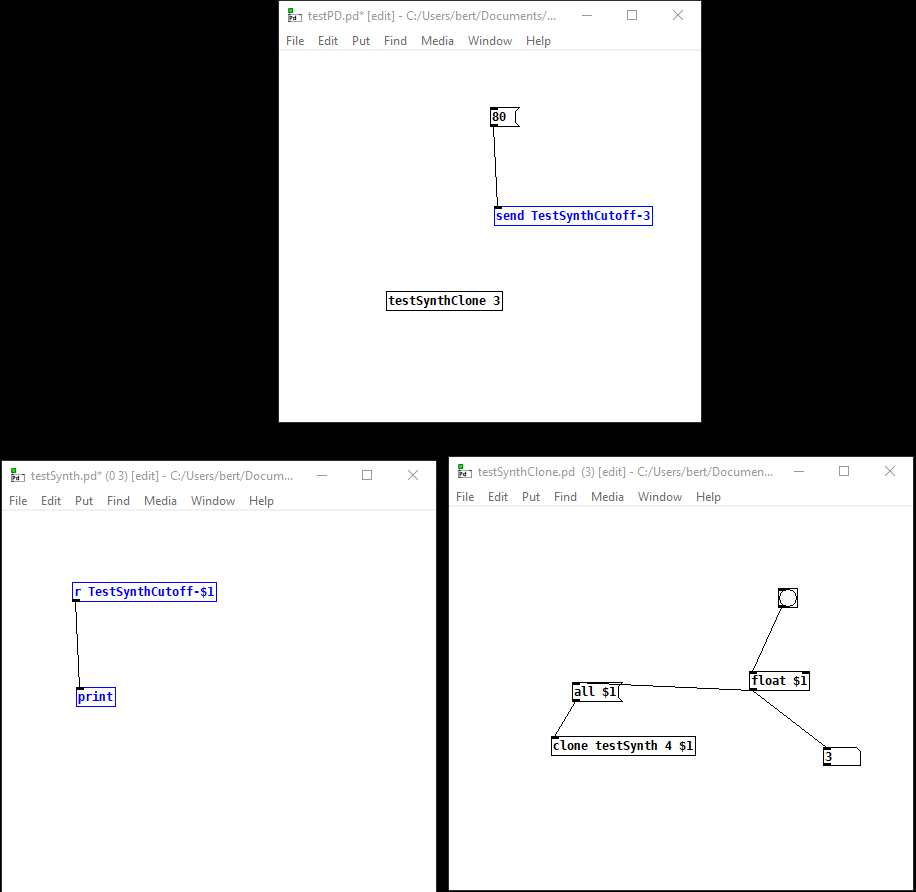
I tried simplifying it as much as I can. I basically call the testSynthClone abstraction and give it the number 3., because later on I will have multiple abstractions.
I want to pass this number down to the actual testSynth abstraction, so that it becomes a unique identifier for that particular abstraction.
I’m able to pass it down to testSynthClone, but passing it further to testSynth using $1 doesn’t work.
If that makes sense?