I downloaded your "out-of-tune.pd" to my plugin folder but VSTHost does not detect it. What am I doing wrong (something stupid I guess)?
-
Dirty pitch control knob
-
@Orangery You have to install plugdata and open the pd patch from there.
-
@dreamer said:
@Orangery You have to install plugdata and open the pd patch from there.
Ah, I see now, thanks. As PlugData was already installed on my machine, I just copied it to my VST folder, fast updated plugins and opened the application in VSTHost (so basically what you said). Thanks for that.
-
Update: I now have the PlugData application in my VST folder and loaded up your "out-of-tune.pd" script (first version) in VSTHost via PD (following "dreamer's" advice).
Yes, the Dirty Pitch controller seems to work well and is a lot of fun and very much appreciated! Others have also provided ideas (scripts); maybe I should try them too?
Thank you everyone.
-
@Orangery I have just notice that my mathematics is wrong [- 4096] should be [+ 4096]
I also failed to mention a plugin called Camomile by Pierre Guillot that allows for the creation of vst3 from a Pure Data patch. Its not too difficult but It took few goes to get the settings right. All the files in the zip need to kept together in a folder "outoftune" and copied to your vstplugins folder.
https://github.com/pierreguillot/Camomile/wikiI've used an updated version of out-of-tune.pd to create outoftune.vst3 using Camomile
outoftune.zip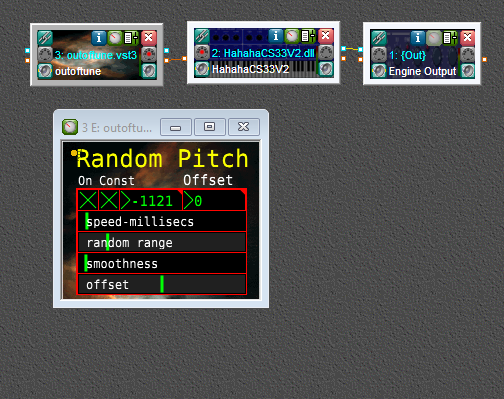
-
I have just tried the updated VST version; very neat, thank you. I also liked the first version, even though mathematics was wrong.
Could you explain a little on the UI controls. It seems that "pitch drifting" after a note is triggered, is now possible.
-
@Orangery you can open the outoftune.pd that is in the outoftune vst3 folder in plugdata.vst3 or puredata to see the difference
which are the control connections are now wireless using send and receive, there is a second toggle that opens a second spigot allowing the metro to bang the random continuously instead of only when a note is pressed and there is also an offset slider which raises or lowers pitch centre -
I could also export it with the heavy compiler, but the effect is really silly


-
aha! @dreamer now I see why McAfee keeps quarantining heavy.exe, It's trying to protect my sanity. I don't think I'll bother
-
-
@dreamer please don't take offence, at my age I need all the safety precautions I can get, Anyway I just checked and the whole toolchain business is all intact now so I tried to compile it. the vst has no inlets or outlets or Gui, I guess it doesn't like me

-
@Balwyn Oh you need to setup special receive objects to create plugin parameters:
https://wasted-audio.github.io/hvcc/getting-started/patching/
https://wasted-audio.github.io/hvcc/generators/dpf/ -
@dreamer I have followed the instruction on sites you directed me to and compiled the plugin. I loaded it in vsthost but it doesn't output anything
What do you think is missing?
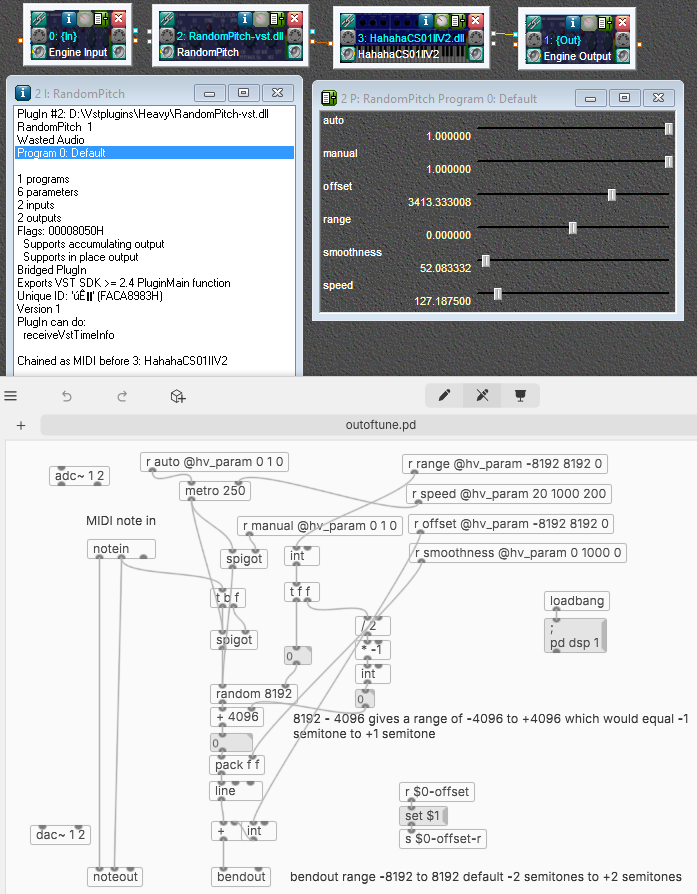
-
Well, I'm still using the first version, as it's a little easier for me to understand and I'm happy with it, thank you.
I like the fact that PlugData can be used inside of VSTHost. It means I can modify the code within a patch on the fly and hear the effect (if any).
Creating new instances of plugins is easy in VSTHost (right click on plugin - new instance). The set-up below creates a wild harmonising effect.
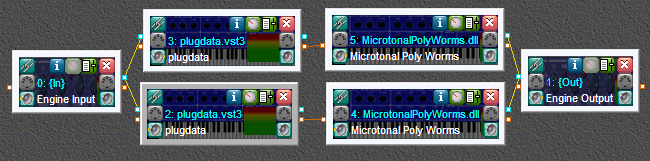
Both synths have the same parameters (doesn't have to be the case) and are both fed pitch bend instructions from two instances of the "DirtyPatch" you created, One almost at minimum setting and the other on max.
How difficult would it be to create a "standard" harmoniser patch (2nds, minor thirds, major thirds etc) with an element of randomisation? It should run alongside DirtyPatch and another instance of the synth (or synth only).
-
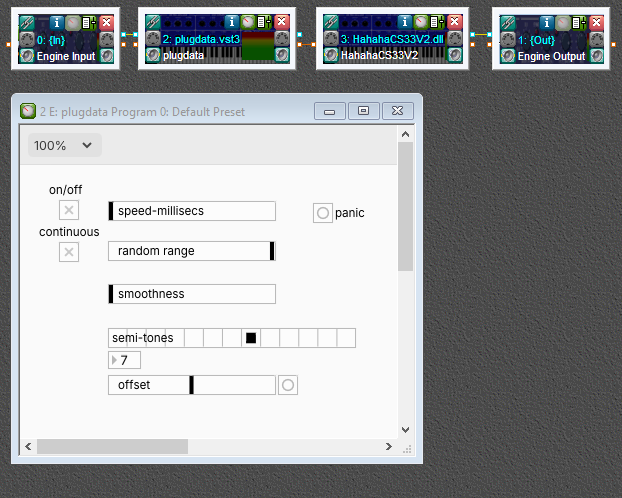
@Orangery I'm not that good on music terminology, but here I've added an hradio of 13 cells that when set greater than zero will also play a note that many semitones above the original at the same velocity
out-of-tune-2.pd
I've just noticed today when you first open the plugdata.vst edit button there is a plug icon to enter plugin mode
-
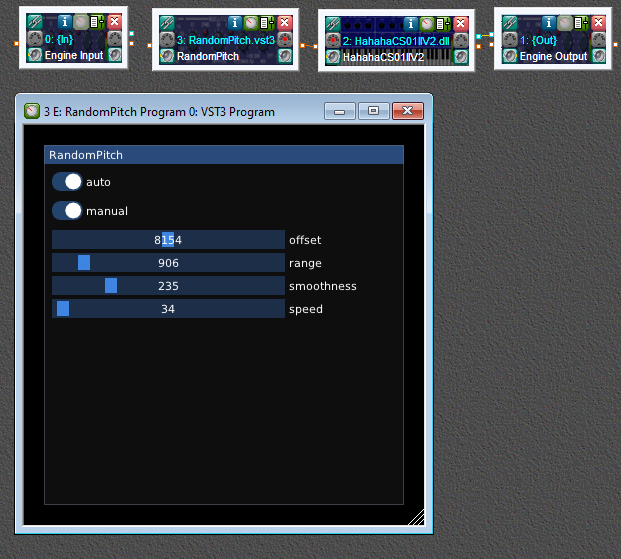
@dreamer Solved, updated plugdata to v0.93 and I think I needed dsp on to run the metro. Anyway thanks for great product

-
@Balwyn Nice! DSP settings don't do anything in Heavy btw, it's always running (and it's not needed for metro).
Changing to a boolean value for the toggle probably fixed it

-
@dreamer I was just checking about the dsp when you posted, and you are right of course Thanks again
-
The patch works fine but not quite what I had in mind, as the interval is constant (unless I'm not using it correctly).
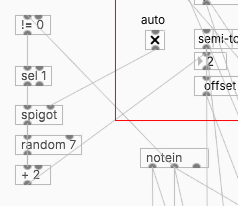
The idea was to randomly select an interval each time a note is depressed, say from a second to a minor 7th. This would equate to a number from 2-10 on your scale (I miss off 0, 1, 11 and 12 but not essential).
-
@Orangery try adding these