On a high DPI display, Pd's windows, fonts, menus, etc. are stupidly small.
"It's a Tcl/Tk problem" but I just wonder if anyone on this forum found a solution for Pd?
Thanks,
hjh

DPI scaling vs Tcl/Tk
On a high DPI display, Pd's windows, fonts, menus, etc. are stupidly small.
"It's a Tcl/Tk problem" but I just wonder if anyone on this forum found a solution for Pd?
Thanks,
hjh
@ddw_music Well you can change the font for the patch........ change font.pd ... but it doesn't help for the console or menus.
You can also set the same for your Pd in the preferences with a startup flag...... -font-size x
Pd boxes (messages, objects) are scaled to the font but arrays and graphics are not.
And it will likely make a mess when sharing too.
There was a discussion about setting the DPI for the OS I think, and then excluding all other programs but that is probably not satisfactory either.
Of course someone might have a better solution since the last time this was asked.
Discussion found so far...... https://lists.iem.at/hyperkitty/list/pd-list@lists.iem.at/message/D7Y2HW3X3IMYEAF2N7DY5GR2T3G2A6RQ/
I have noticed that sizes are sometimes different in different releases for windows so it could be worth delving deeper.
David.
P.S. just playing around with pdwindow.tcl....... I am sure it can be taken further.......
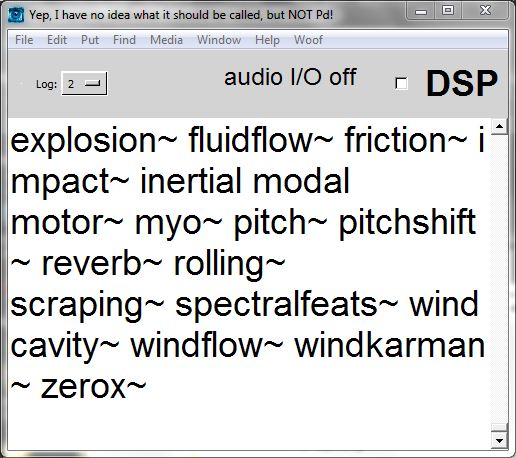
I should also have said that I'm on Linux (Ubuntu Studio 24.04 [will upgrade over the summer probably], with the XFCE desktop).
Tcl/Tk, I suppose, will never catch up to the modern world.
When I need Pd, I mostly use plugdata anyway (I disagree with Pd's remaining tied to an outdated graphics library, so this is me "voting with my feet"). That's fine with me actually, though Gem doesn't run smoothly in plugdata. So it's not a big deal for me, but, nags at me a bit that one venerable tool can't be easily brought up to speed.
hjh
@ddw_music you can compile pd with this PR: https://github.com/pure-data/pure-data/pull/1659
@whale-av said:
Well you can change the font for the patch... but it doesn't help for the console or menus.
@solipp said:
you can compile pd with this PR: https://github.com/pure-data/pure-data/pull/1659
... (where the PR implements scroll wheel zooming, which affects patch contents, but not menu bars, or the console).
Appreciate the effort, but it has to be admitted that neither of these is a full solution.
Here, I've screenshotted what I'm seeing, and scaled it down so that lower DPI screens will see basically what I'm seeing.
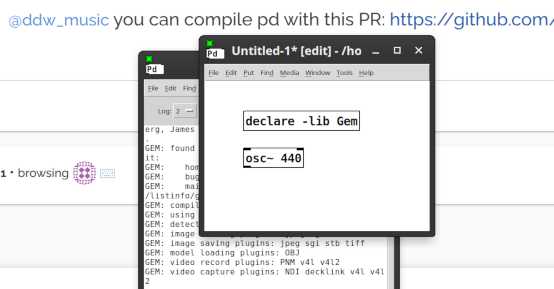
Sure. You can interact with objects. But, anything that requires a menu or a dialog box, you'd better take off your glasses, get right up to the screen, and squint. In the Windows screenshot above, menus look normal size and everything else looks big. That isn't at all what you see on a high(er) DPI monitor (2880 x 1800 here). If I zoom in on a patch, I see normal-size objects and teeny tiny menus.
I found where pd-gui.tcl says:
    # we are not using Tk scaling, so fix it to 1 on all platforms.  This
    # guarantees that patches will be pixel-exact on every platform
    # 2013.07.19 msp - trying without this to see what breaks - it's having
    # deleterious effects on dialog window font sizes.
    # tk scaling 1
... and I tried enabling tk scaling 2, but no effect after recompiling.
There was a discussion about setting the DPI for the OS I think, and then excluding all other programs but that is probably not satisfactory either.
If I understand your meaning here, that's what I've been doing for a long time -- setting lower resolution and making every application fuzzier, just so that Pd is usable. I'd kinda like to try maximum sharpness for awhile, see how it goes.
My laptop is IIRC 3.5 years old, and it's not a super expensive one (integrated Intel graphics, pretty standard). Again, I'm fine to use plugdata for most cases -- just observing that Pd vanilla is slipping further and further behind modern hardware.
hjh
Sure. You can interact with objects. But, anything that requires a menu or a dialog box, you'd better take off your glasses, get right up to the screen, and squint. In the Windows screenshot above, menus look normal size and everything else looks big. That isn't at all what you see on a high(er) DPI monitor (2880 x 1800 here). If I zoom in on a patch, I see normal-size objects and teeny tiny menus.
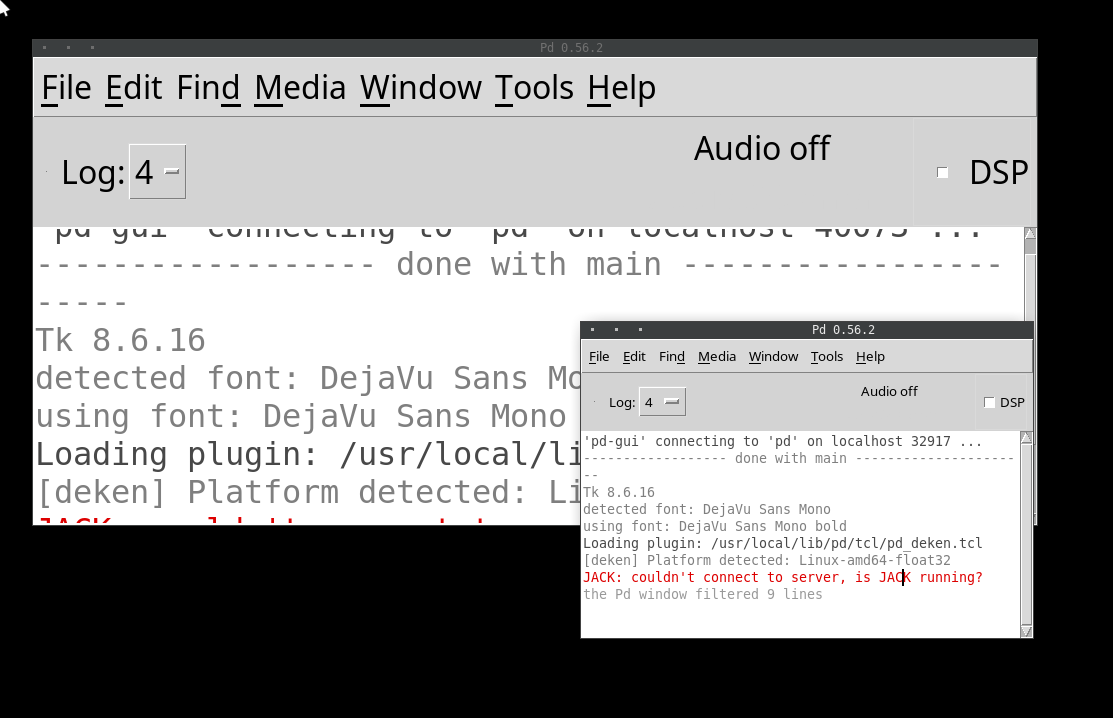
And changing the font size doesn’t help?
Here is font size 10 compared to font size 24 on a my screen, also on XFCE:
@solipp said:
And changing the font size doesn’t help?
Ah, actually it does. An earlier comment said "chang[ing] the font for the patch... doesn't help for the console or menus" so tbh I didn't investigate font settings further... but it does help for those.
If I set font size = 16, it's pretty close. Acceptable. Thanks!
hjh
Oops! Looks like something went wrong!