
using HID object on Raspberry Pi
sorry for the double forum post, just starting a new thread for clarity.
I'm trying to use a USB joystick with pure data on my headless Raspberry Pi. I've got the patch working on my laptop just fine.
I've installed the pd-hid external on my Raspberry Pi, but the joystick doesn't do anything in the patch. The external loads when I start up Pd, but I don't get any input information from the joystick into Pd.
One theory I have is that the version of [hid] is different on the Raspberry Pi repo vs. Deken? On Raspberry Pi it is says:
[hid] 0.7, written by Hans-Christoph Steiner <hans@eds.org>
    compiled for Debian on 2022/12/07 at 09:43:35 UTC```
Whereas the version on Deken is "hidv0.1.0.dek".
Could these be different? Or is there something else entirely that I'm missing?
 posted in technical issues
PD output is distorted at raspberry pi audio jack out
because my pi gpio pins are not accessible I have added a pi case that prevent from connecting anything to those pins. This is why I would like to use a usb audio interface.
Any recommendation for USB Audio Interface (small in size) that will do the job?
What about that one or this one
 posted in technical issues
Failed to autostart PD on Pi using service
This is a continuation to the issue I wanted to solved in this topic. It just went to different places so I though I will open a new topic to this problem I'm facing.
I have a pd patch that doing some audio playback reading some files from buffer. I'm running it on my Pi4.
I wanted it to start on boot every time and to be able to reset itself if crashing for some reason.
I was suggested to use that service script:
[Unit]
Description=My PureData service

[Service]
Type=simple
LimitNOFILE=1000000
ExecStart=/usr/bin/puredata -nogui  -open /home/pi/mypatch.pd
WorkingDirectory=/home/pi
User=pi
Group=pi
Restart=always
# Restart service after 10 seconds if service crashes
RestartSec=10

[Install]
WantedBy=multi-user.target
The above was working great using the built in 3.5mm audio jack.
I then bought UGREEN USB audio interface as I was facing with some poor audio quality at the output.
I set the audio preference in PD to choose the USB Audio Interface as the output.
When I boot the Pi I'm getting this error from the service (see picture)
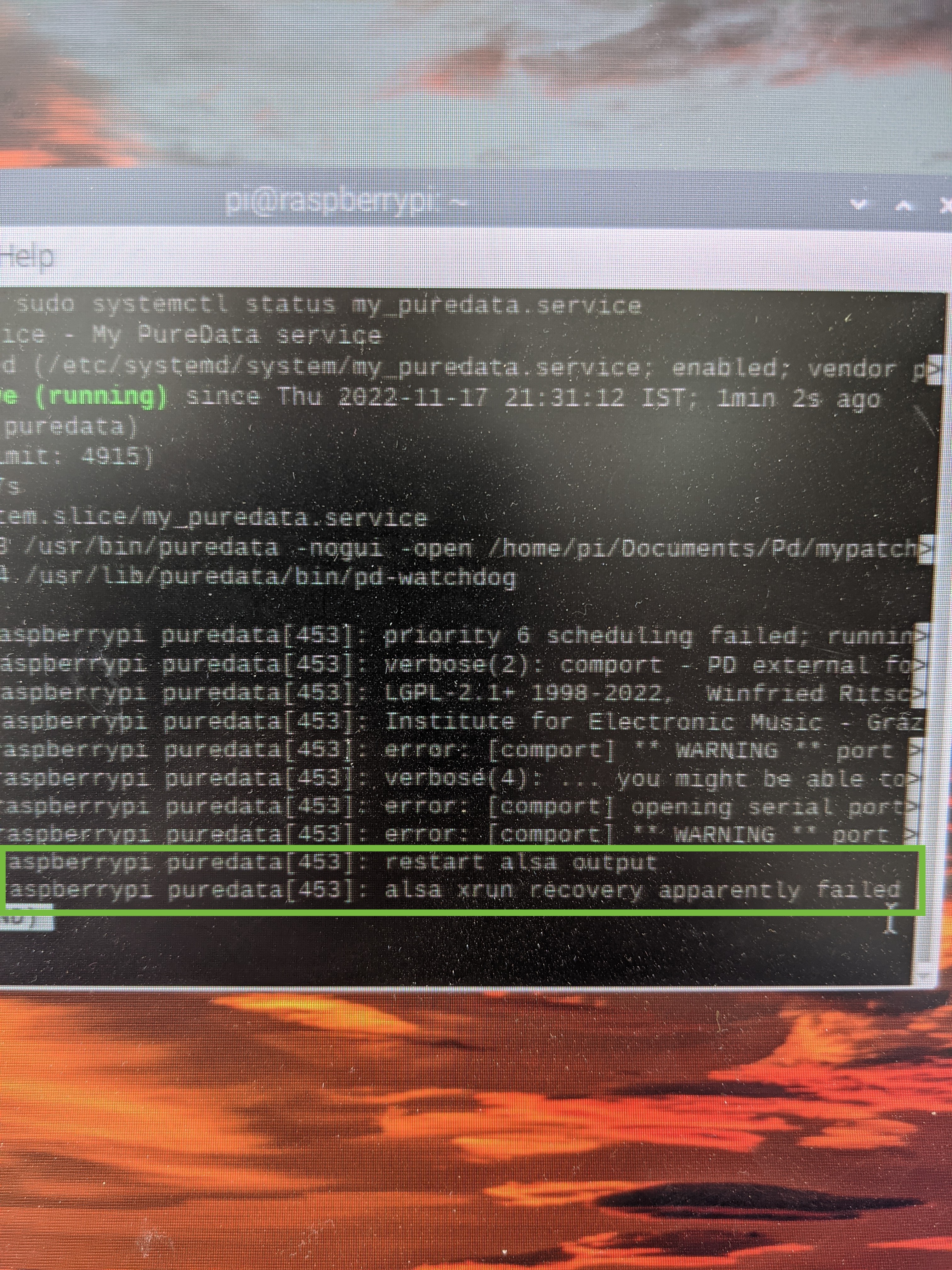
If I'm typing sudo systemctl restart my_puredata.service the PD patch is back to work just fine. No Alsa error, but on the initial boot it is not working.
Any idea why this happen when using the USB AudioInterface? anything I can do in order to make it work?
So If to conclude:
When I start the same pd patch using the same service script but without a USB audio interface is working just fine.
When I start the same pd patch with the USB audio interface but using the autostart file:
sudo nano /etc/xdg/lxsession/LXDE-pi/autostart
Is also working just fine.
But the combination of the USB audio interface and the service script is just not working.
Thanks for any help.
posted in technical issues
MIDI note to CV output DC coupled audio interface (ES-9)
@lo94 The old way to use audio outputs to control CV gear is to use a high frequency sine (highest your interface can put out) as a carrier for your CV, amplitude modulate the sine with what you really want and send it to [adc~]. Then you run it through a full wave rectifier and maybe some filtering and you have your CV. If you have some soldering skills you can make a two channel CV output that you can plug into your computer headphone jack for maybe $5, if not you can always go with simple passive rectifier and filter which is as easy as it get but you loose some of the signals amplitude in the process, if you have a VCA on that modular you use that too make that loss up or if your modular has a fullwave/halfwave rectifier and filter that can go down to DC than you can use those to do the lifting for you. It can be tricky to get well calibrated CVs this way, probably not too bad with a decent audio interface but if you don't need perfect key tracking than it is not a problem anyways. You can do very complex CV stuff this way on even simple analog synths with just a 1v/oct and expression input for CV, create all the modulation in pd or the like, sum and scale them then send them out, you can even piggy back gate and trigger signals on the audio signal by exploiting DC offset or just gating the CV itself if you are OK with the CV ceasing when the release cycle of the envelopes starts.
Let me knwow if you need more info, I kept it simple since I have no idea of your skill level.
Edit: if you want more info it would also be helpful to know your modulars CV/gate standards and what sort of CVs you want to send, plain modulators like LFO are much simpler than well calibrated key CV.
Edit 2: just remembered you said midi note information, not modulation. so needs to be calibrated. A bit more work but not much, very helpful to have access too a meter for calibration but can be done by ear if you do not.
Edit 3: we can probably use pd for calibration instead of a meter. Have not done this since the 90s, but it has me thinking and kind of makes me wish I still had some analog gear so I could play with this, will be much simpler in these days of modern interfaces, although the tendency for modern interfaces to have an analog volume control does complicate things some.
 posted in technical issues
Launchpad4Oktatrack
hello everyone
since you cannot change outgoing midi messages in those devices,here is my patch to turn Novation Launchad mini mk1&mk2 into Octatrack midi controller,plus i added few small but nice features...
Repo
https://github.com/k2z3k0/launchpad-for-octatrak-in-pure-data
Example video
Getting Started with Raspberry Pi, Pure Data
How to deal with Raspberry Pi as usb midi host
Raspberry Pi audio/midi board
https://blokas.io/pisound/
Raspberry Pi audio/midi board
https://www.osaelectronics.com/.../midi-board-for.../
Raspberry Pi how to get midi out out of onboard GPIO
https://github.com/nugluke/midi2gpio
best regards
Kazik
 posted in patch~
Raspberry Pi Audio Output Crackling when Mic enabled
Hello,
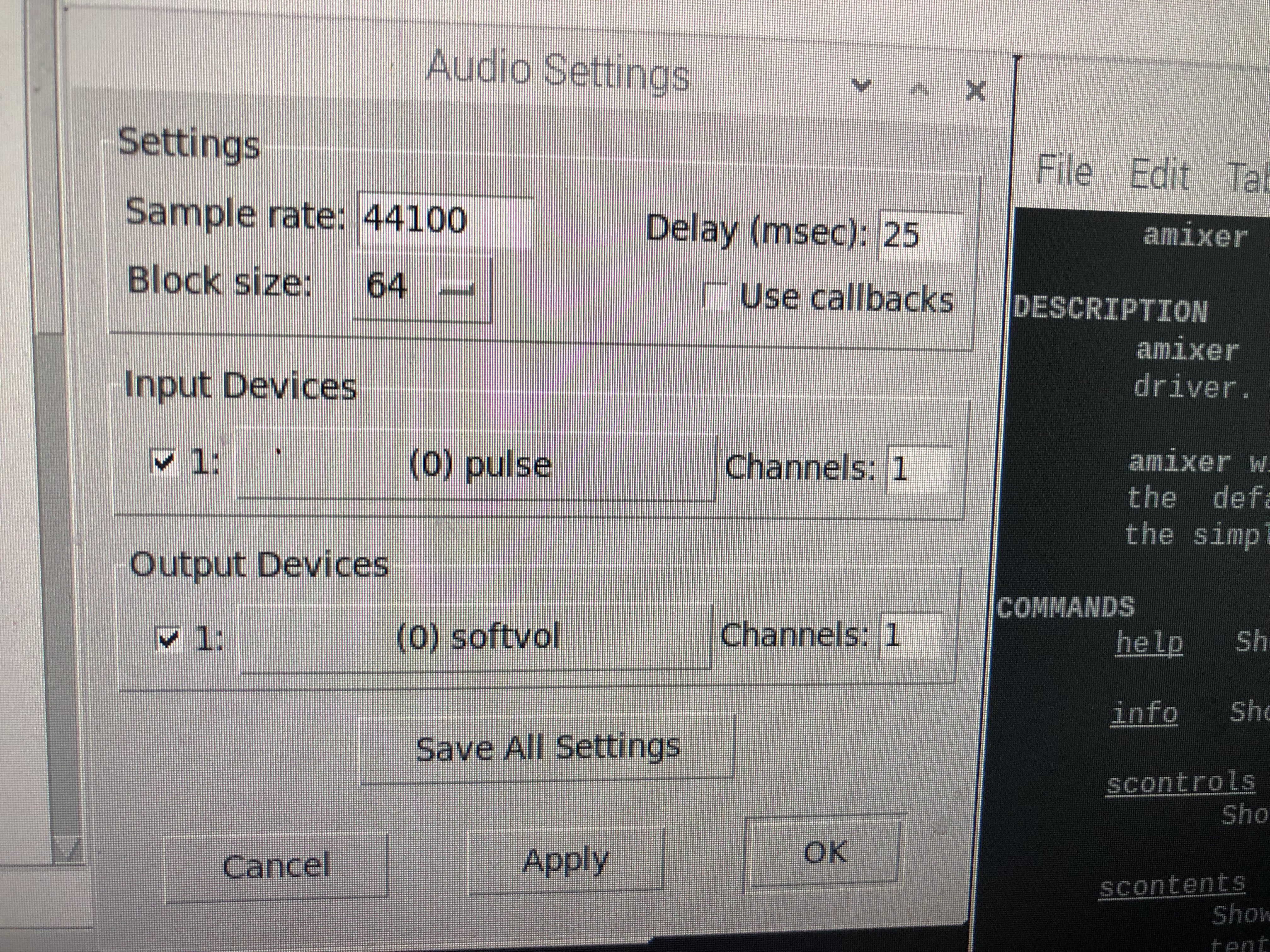
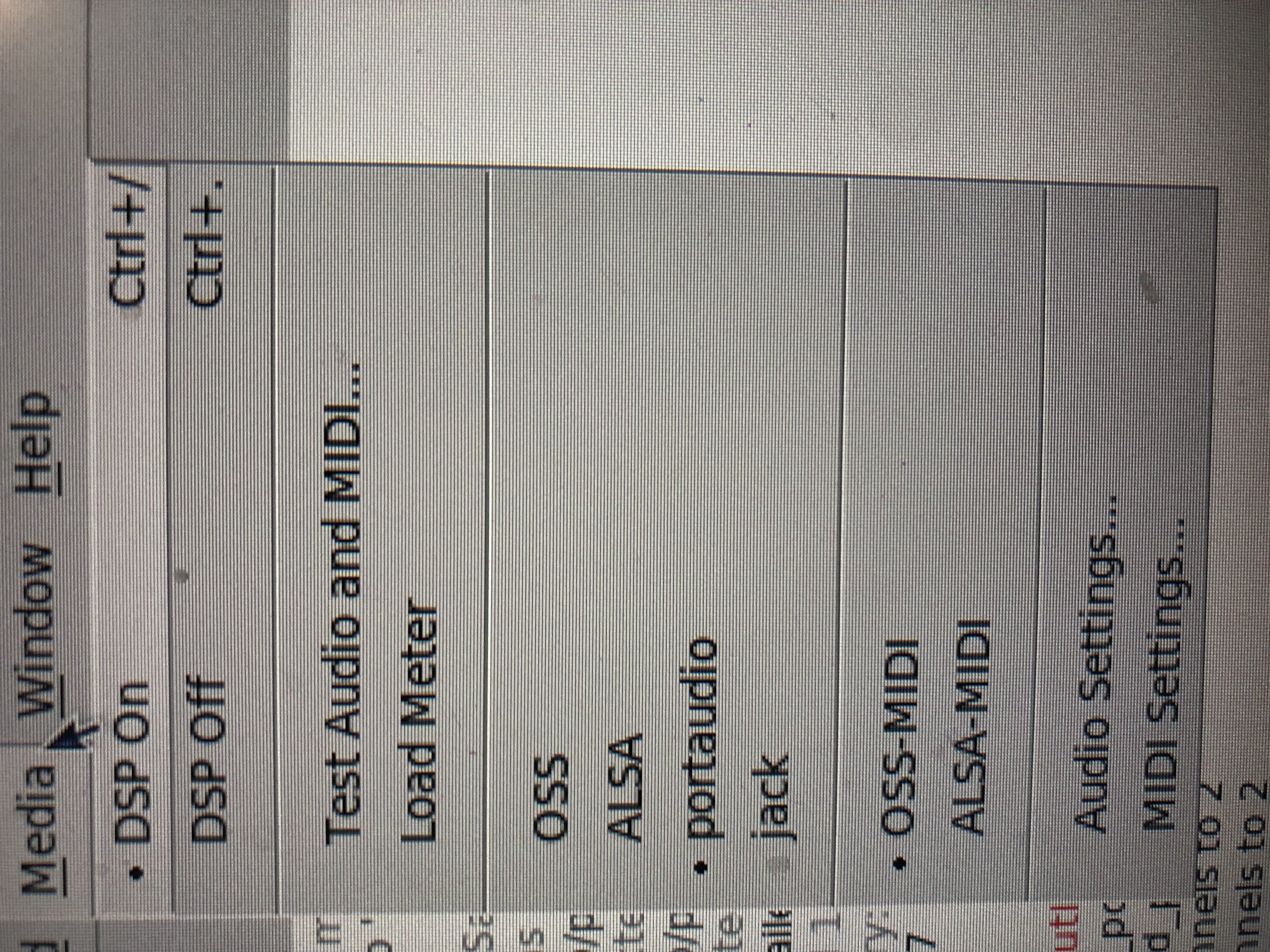
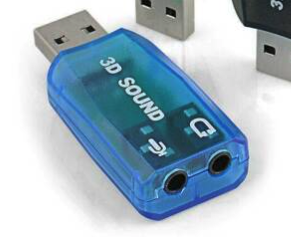
I have a USB audio interface (3D Sound Audio Interface see below) plugged into a raspberry pi. When I have it selected for audio input (port audio seems to be the only one that works) along with audio output via the speaker on the GPIO pins I get crackling as if PD can't handle the processing of audio input while outputting on raspberry pi. NOTE: if I turn off audio input the output sounds perfect.
Anyone else encounter this issue?
FYI, I hooked up a nice little speaker to make the Raspberry Pi more portable via the I2S Amp on connected and powered by the GPIO pins (see this link for details
 posted in technical issues
Contribute to better Pd Documentation
As a Puredata teacher in a fine art school since 10years (and many workshops in China) the only solution for me to make pd "usable" by my students, was to distributed my own puredata version modified with translated help files from an "computer-scientist" to an "artist" point of view, and with many extra things.
@whale-av said:
Maybe adding a "Documentation" link to the console help menu would be a good first move....?
I agree, if only clickable link could be added to console.
The doc subfolder names are not enticing..... "3.audio.examples" really could be "3.digital.audio.tutorial" for example.
I don't think there is even a link to it in the "HTML Manual" which becomes "PD Documentation" when it is opened.
All very confusing though as the Pd.doc folder is mostly a patching tutorial that complements the Floss manual.
I agree, the documentation could a bit more explicit and well organised. I simply don't use it and added mine.
Finally, Here is an example of my pd version that I throw to students now to have a chance to keep them in the game:
-
I am using ceammc a lot, and added some objets and a simple theme:
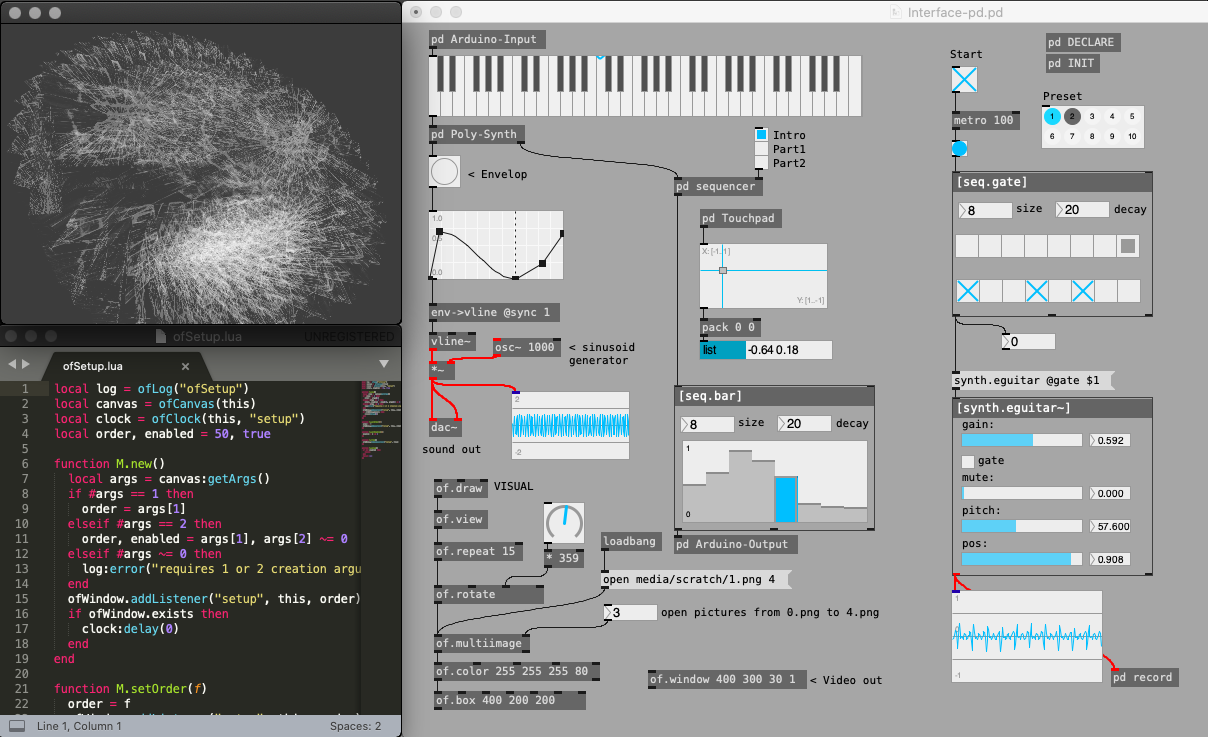
-
I added a template for every new patches and some personnal icons to ceammc bar:
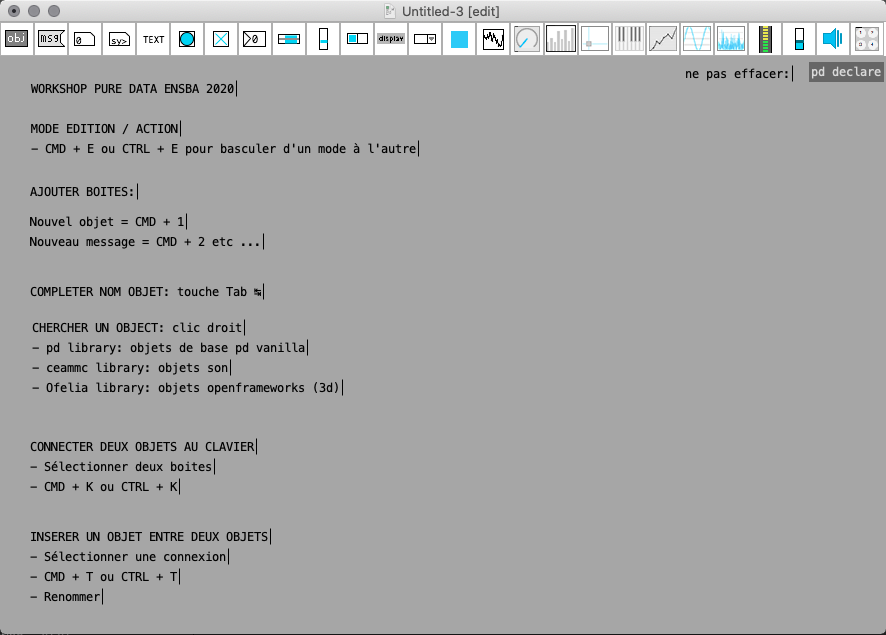
-
Here is my Intro-help.pd (accessible from any right clic in a patch)
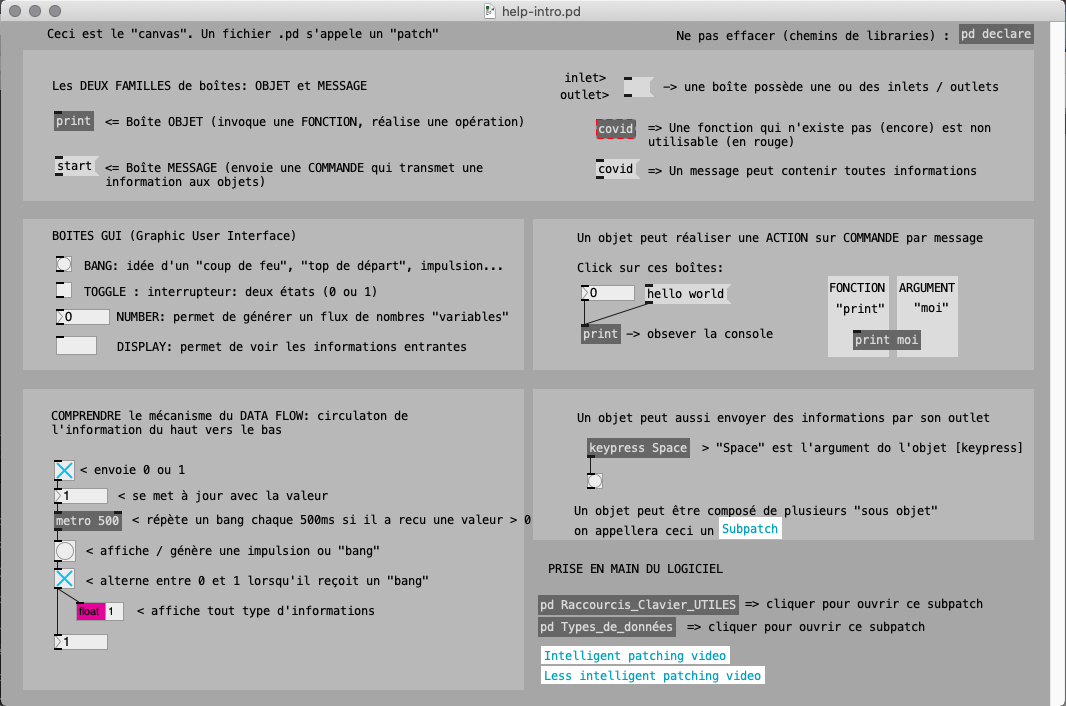
-
I added my own fast prototyping ofelia abstractions:
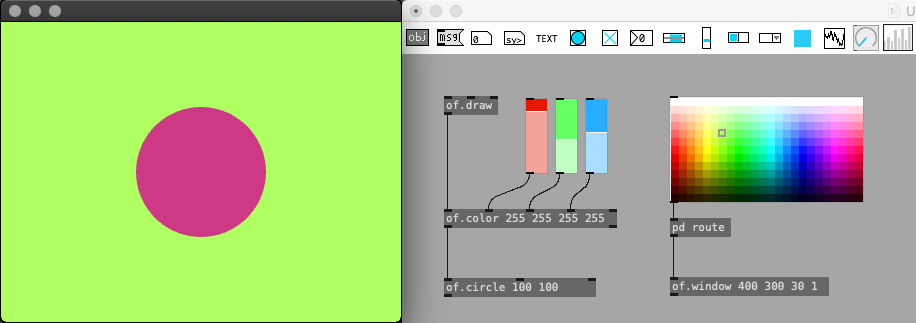
-
The right click show all the objects (also have auto-completion of course)
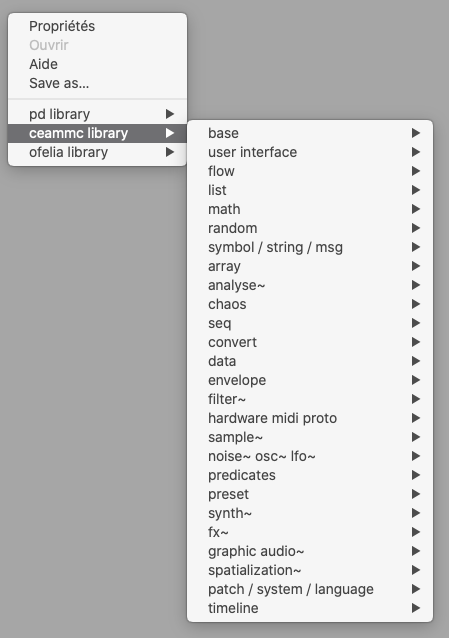
I think right-click on objects should propose "Online Reference" that lead to an online up-to-date documentation... or wiki.
 posted in tutorials
Querying whether an array exists or not
you'd be amazed how creative they can be at messing it up
In fairness to your students, due to a historical accident soundfiler's interface is poor. You get a bunch of anonymous values in a single message out the right inlet, and a single value out of the left inlet. For the right outlet it's the user's job to remember the map of attributes to positional arguments and then parse the message to get the positional arguments they care about.
Nobody would ever design the interface that way on purpose. You'd simply send an object to the outlet, like this:
[soundfiler]
|
[get samples type rate etc.]
Now the data would be self-documenting and automatically routed to the appropriate outlet of [get]. (Ignoring for the moment that args and outlets don't line up on objects like [route] and [get].) Also, the interface would be backwards-compatible since adding a new key/value pair doesn't break anything.
However, there would still two problems doing it this way. First, [get] also suffers from an annoying historical accident-- it's first arg is the name of the struct. So you have to add an annoying "-" to stand in for null: [get - samples type rate etc.]
Second, the interface in C for dealing with dictionaries in Pd is even worse than the output interface of [soundfiler]. You can't simply call a function to map a few names to argv data. AFAICT you'd have to define a template, instantiate a scalar, and then manually populate the scalar with the data you want to map. That's too much work just to put names to data, so nobody does it.
There are enough of these problems in the core that when I find myself getting tired of programming in Pd, I'm usually in the middle of doing something low-effort or trivial, like grabbing a value from the middle of a list, or preparing a value downstream for a conditional test. In Javascript or C, I almost always stop due to a mental model of an algorithm not being fully fleshed out, or faulty. (Well, with js there's also stopping due to DOM complexity/edge cases which can be annoying.)
Edit: clarification
 posted in technical issues
Crackled Audio from PD on Raspberry Pi 4
I'm running a Raspberry Pi 4 with "Raspberry Pi OS (32-bit) Lite [August 2020 / 2020-08-20 / Kernel 5.4]" headless and the latest version of Purr-Data, set up the Raspberry using this guide , did the Alsa no audio (glitch) issue Pi 4
fix to get audio working through the 3.5 mm jack.
I'm interfacing the Raspberry Pi through the macOS terminal and with VNC Viewer through ethernet.
I get the following error as soon a starting Purr-Data,
error: audio I/O stuck... closing audio
I open up a patch and turn off and turn on the DSP signals and get the following error
error: audio I/O stuck... closing audio error: audio I/O dropout
Even though if I play sample .wav or bang a sinewave, the audio does get played but it gets glitchy as in the audio sound is crackled.
has anyone experienced it before? any knowledge on how to overcome it?
 posted in technical issues
how does zexy "date" object work on raspi?
I'm going through old threads of mine and realising I never came back with an update to this.
In a nutshell, the answer to my question is that in order for the zexy "date" object to get the date the Raspberry Pi either needs to be connected to a network or needs to have a Real Time Clock (RTC). These are very cheap:
https://thepihut.com/products/mini-rtc-module-for-raspberry-pi
You need to follow the instructions for getting the Pi to get the RTC calibrated and working, but I had success the first time around with these: https://thepihut.com/blogs/raspberry-pi-tutorials/17209332-adding-a-real-time-clock-to-your-raspberry-pi
With that up and running the zexy "date" object appears to work great even when the Pi isn't connected to a network.
posted in technical issues